
AMF Tool V1.2.5|FRP, and Qualcomm Latest Version for Windows
Snapdragon phones are rarely dead, but they need to be fixed. The AMF Tool is a small Windows program that helps with these jobs. It helps in resetting the Mi account, erasing and restoring EFA, backing up NV data, and managing other repair tasks. It supports 32-bit and 64-bit Windows.
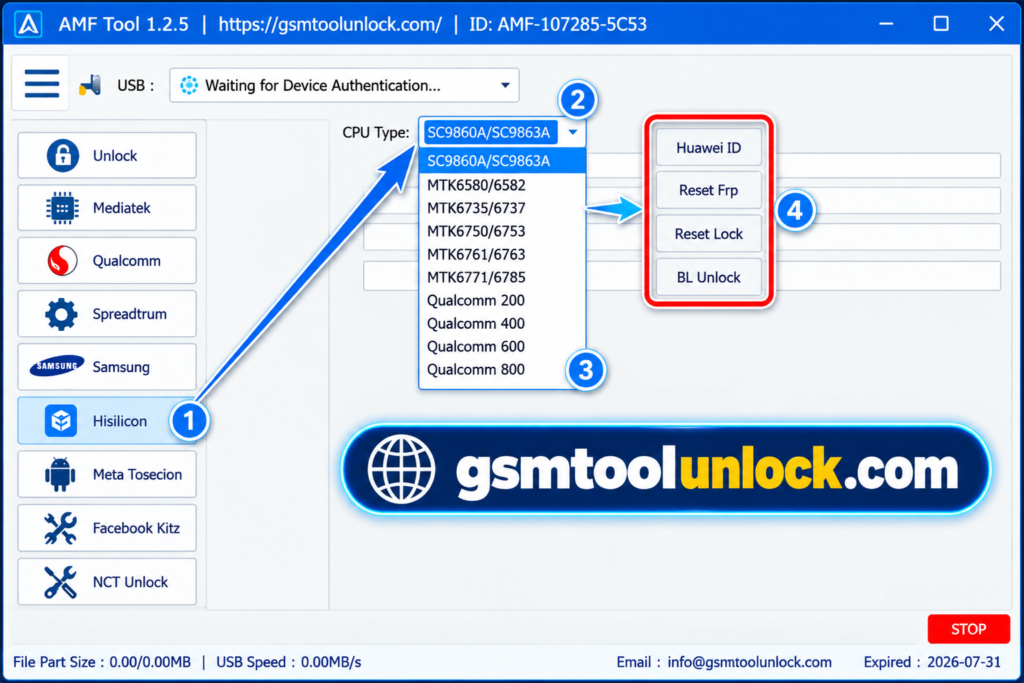
What Is the AMF Tool?
The AMF Tool is a lightweight Windows program for Android repair and servicing. It is built mainly for phones with Qualcomm Snapdragon chips. This tool also supports MediaTek and Spreadtrum chips. It provides multiple repair functions in one place, including FRP servicing, Mi Account servicing, EFS management, NV data backup, and other device repair operations.
Features of AMF Tool 2026
FRP Reset / FRP Unlock
If you reset a phone and forget the old Google login, the phone stays locked. The AMF Tool offers FRP options for supported devices.
Mi Account Disable / Reset
Xiaomi phones can be locked to a Mi Account. This feature helps technicians reset the Mi Account on supported Xiaomi devices, often within a few minutes.
Backup NV / Restore EFS
IMEI is the unique number that identifies your phone on a mobile network. If these files get damaged, the phone may lose signal. The tool can back up NV data and restore EFS on supported devices. Always make a backup before you change anything.
Erase EFS Support
Advanced users can erase the EFS partition for repair work. Do this when other methods fail. Wrong step can break your network, so be careful.
Firmware Operations
Firmware is the main software inside the phone. This section lists supported firmware and software servicing tasks. Match the firmware to the exact model first.
Device Detection
The tool tries to find a connected phone on its own. Detection works best with the right USB drivers, a good cable, and the correct connection mode..
Multiple Brand Support
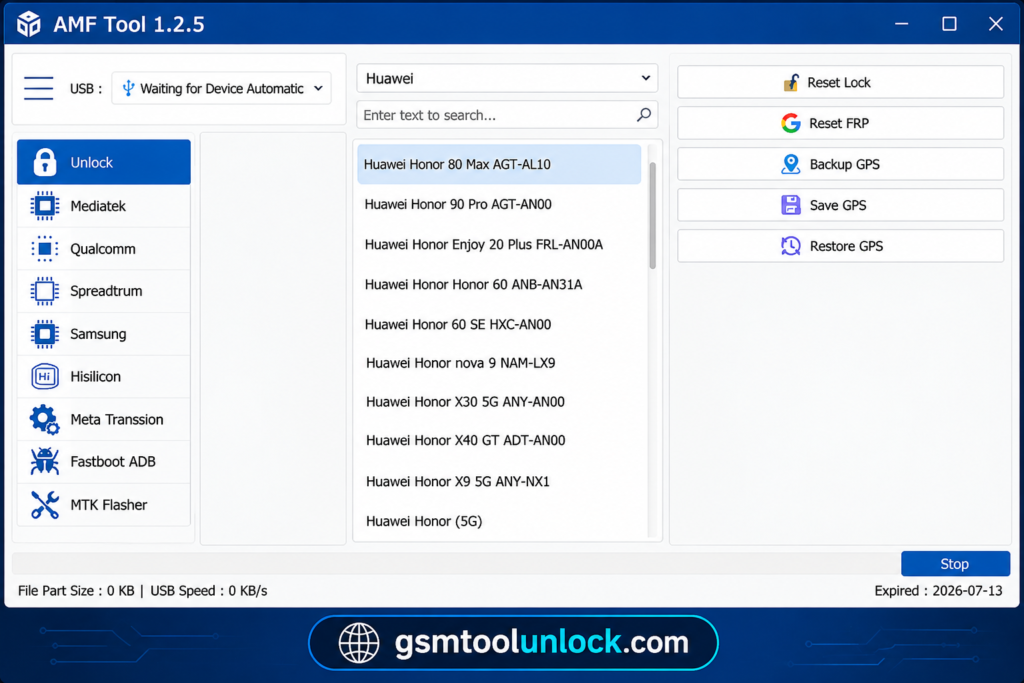
The AMF Tool is not made for one brand only. Brands supported include Samsung, Xiaomi, Vivo, OPPO, Realme, Motorola, Nokia, Huawei, Tecno, and Infinix.
What’s New in AMF Tool V1.2.5?
- Better device detection
- More supported devices
- Faster processing
- Better stability and bug fixes
- Improved firmware support
- Stronger repair functions
- Smoother user interface
Download Information
| Detail | Info |
| Tool Name | AMF Tool |
| Version | 1.2.5 |
| File Size | 110.3 MB |
| File Password | None |
| Platform | Windows (32-bit and 64-bit) |
| License | Free |
Also read: Download SSM Tool V1.0.0.3 | Features, Setup & Free Download
System Requirements
| Requirement | Minimum / Recommended |
| Operating System | Windows 7, 8, 10, or 11 |
| Architecture | 32-bit or 64-bit |
| RAM | 2 GB minimum |
| Storage | 100 MB or more free space |
| Processor | Intel or AMD dual-core or better |
| Drivers | Needed USB drivers for your phone |
How to Download, Install & Use AMF Tool
- Click the download button on gsmtoolunlock or download from a trusted source.
- Wait until the download finishes.
- Extract the ZIP or RAR file with WinRAR or 7-Zip.
- Open the extracted folder.
- Run AMFTool.exe or Setup.exe as Administrator.
- Follow the on-screen steps to finish the setup.
- Install the Android USB drivers if your PC does not have them.
- Launch the AMF Tool.
- Connect your phone with a good USB cable.
- Let the software find your phone, then choose the chipset or connection mode.
Pros & Cons
Pros
- Supports a wide range of compatible Android and Snapdragon devices.
- Offers multiple repair functions in one Windows tool.
- Includes FRP, Mi Account, EFS, and NV-data-related functions.
- Works on both 32-bit and 64-bit Windows systems.
- Lightweight and convenient for mobile technicians.
Cons
- Compatibility may vary depending on the device model and chipset.
- Some advanced operations require technical knowledge.
- Incorrect repair operations may cause data loss or device issues.
- Device-specific files or drivers may be required.
- Available features and results may differ across devices and software versions.
Conclusion
The AMF Tool is a simple Windows tool that brings FRP, Mi Account, EFS, NV data, and firmware jobs into one screen. It is made for Snapdragon phones but also lists MTK and Unisoc support. It is light and easy to start with. Still, results depend on your phone and chipset. Back up NV and EFS data first, install the right drivers, and repair only phones you are allowed to service.
FAQ’s
What repair jobs can the AMF Tool do?
It can help with FRP, Mi Account reset, EFS erase and restore, NV data backup, device information, and some firmware tasks on supported phones.
Is AMF Tool free?
AMF Tool offers a free trial. Some advanced features may require the official licensed version.
Which chipsets does AMF Tool support?
It supports Qualcomm Snapdragon, MediaTek (MTK), and Spreadtrum (Unisoc), plus MTP mode devices.
Why is my phone not detected?
Usually, the USB drivers are missing, the cable is bad, or the wrong connection mode is selected. Try another cable and port, then reinstall the driver.
What is EFS, and why should I back it up?
EFS holds network and identity data like IMEI and modem settings. A backup lets you restore it if the data gets damaged.
Does AMF Tool work on Windows 11?
The tool lists Windows 7, 8, 10, and 11 on both 32-bit and 64-bit systems. Test it on your own PC first.

One Comment