Adanichell Tool V3.4 Free Download for Android Devices [2027]
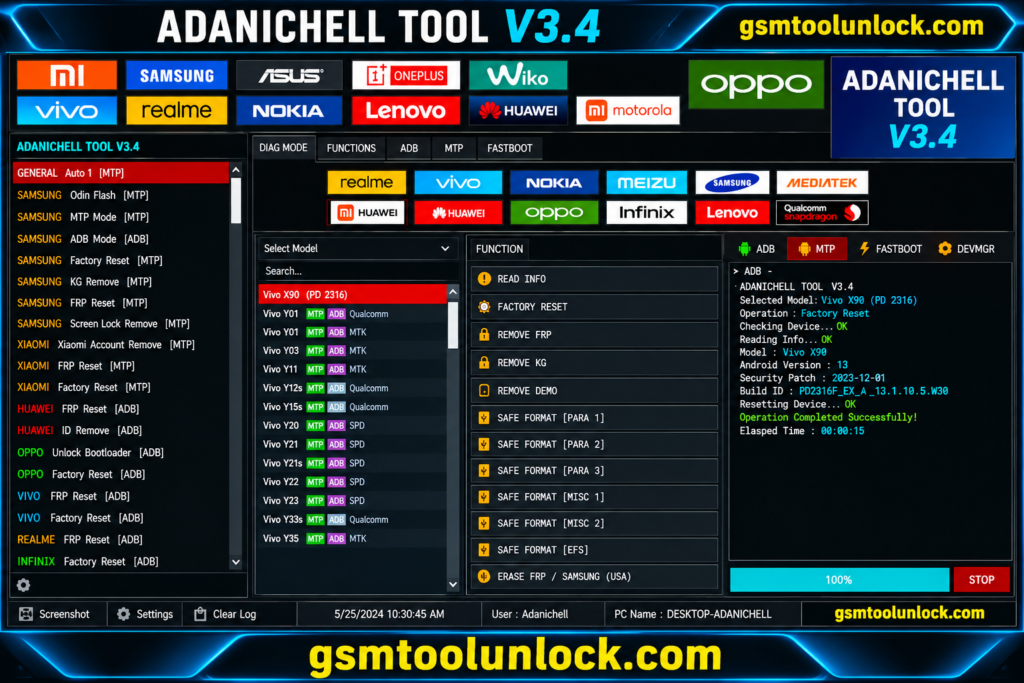
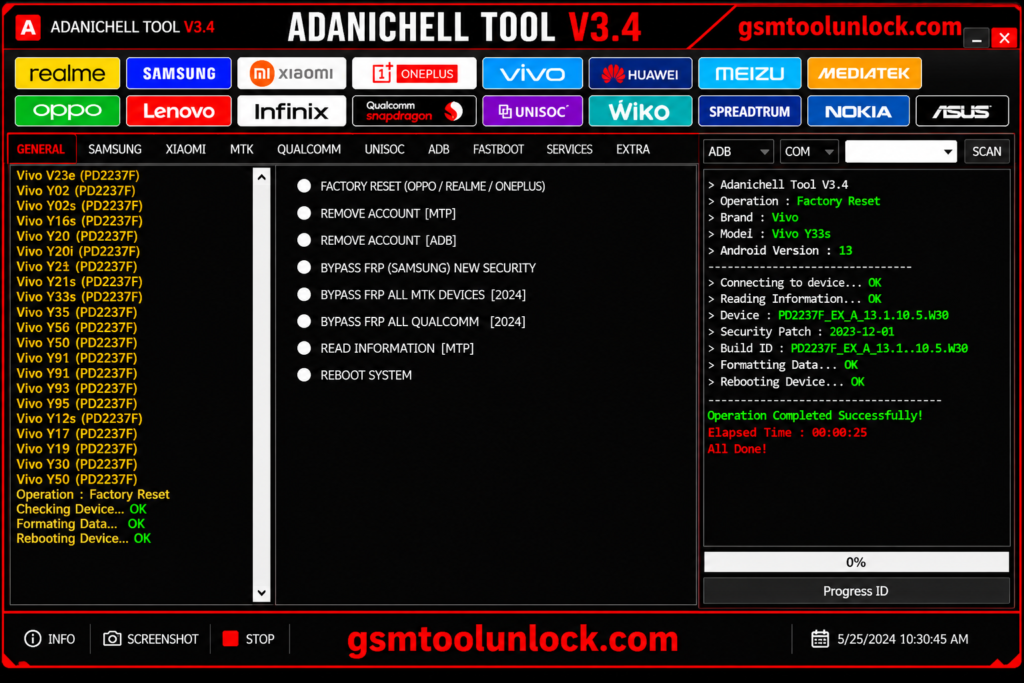
Adanichell Tool is a window-based utility that is designed for Android devices to solve issues of servicing and repairing. It offers multiple operations on supported chipsets including Media Tek and Qualcomm etc. It provides services for multiple brands such as Xiaomi, Oppo, Vivo and Realme etc. It provides multiple features such as FRP removal, device information reading, bootloader, factory reset, device information reading and EDL servicing etc.
What is Adanichell Tool?
It is designed to perform multiple purposes related to servicing on Android devices. It merges multiple functions of different chipsets such as MTK, Qualcomm, Fastboot, and EDL functions at one platform. It provides a facility of performing multiple operations without the problem of switching among programs. It provides support to various Android brands including Oppo, Vivo, Realme, Infinix, Nokia and Lenovo etc.
Key Features of Adanichell Tool
MTK Universal Tool
The tool provides a feature of performing MediaTek functions on supported Android devices. It gives opportunity performing multiple operations like boot modes, formatting, device information and many more servicing tasks.
FRP and Account Functions
One of the most important facilities of this tool is availability of Factory Reset Protection and other options related to account operations on supported Android devices. Function may vary among models, chipsets, brands and versions.
Safe Format & User Data
It provides a facility to user to perform many functions related to user data erase, Factory Reset for adaptable devices. These are helpful to meet the requirements of software or setup issues.
Bootloader Tools
This tool provides opportunity of performing multiple features like unlocking and relocking bootloader for linked devices. This provides help to technicians to control device when dealing with maintenance.
MTP Mode
The tool provides MTP options for supported brands such as Samsung, Vivo, Xiaomi, Oppo and Realme. These functions provide help with device setup and services on supported devices.
Download Information
| File Size | 328.12 MB |
| File Password | None |
Also Read: Chimera Tool V48.16.1331 Free Setup Download
What’s New in Adanichell Tool?
- Multi-brand Android device support
- MTK Universal servicing tools
- Boot Information and GPT functions
- Meta Mode support
- Multiple FRP servicing options
- Samsung MTP servicing
- Xiaomi device servicing features
- OPPO and Realme Download Mode repair
- Demo-device servicing functions
- Partition management tools
- NV and Persist operations
- Qualcomm device servicing
- EDL mode-related functions
- Bootloader unlock and relock options
System Requirements
| Requirement | Minimum |
| Operating System | Windows 7 / 8 / 10 / 11 |
| Architecture | 32-bit / 64-bit |
| RAM | 2 GB or more |
| .NET Framework | .NET Framework 4.0 or later |
| Connection | USB port for connecting the Android device |
| USB Drivers | Compatible device USB drivers may be required |
| Storage | Sufficient free space for the tool and required firmware files |
| Android Modes | MTP, Fastboot, Meta Mode, or EDL, depending on the required operation |
| Additional Hardware | No special box is generally required for basic software functions; hardware requirements may vary by servicing operation |
How to download?
- You can download the tool from GSM Tool Unlock.
- Extract the ZIP with the help of WinRAR or 7-Zip.
- Install the needed USB driver like MTK, Qualcomm, and ADB etc.
- Open the tool and run it.
- Link the device to the supported device. Click on the device information and perform the desired function.
Pros and Cons
Pros
- It provides multiple chipsets support.
- It provides simple and user friendly interface.
- It provides services options for Oppo and Realme brands.
- It also offers EDL related services.
- It provides multiple services module.
Cons
- Its compatibility varies among models.
- Check firmware compatibility carefully.
- Some functions may cause data loss.
- Security patches can stop from performing certain options.
- New operations must be performed with proper knowledge.
Conclusion
Adanichell Tool is a Windows software that offers multiple features including MTK, Qualcomm, MTP, Fastboot, EDL, FRP, flashing, and partition management . The tool supports multiple brands such as Samsung, Xiaomi, Oppo, Vivo, Realme, and Infinix. It provides multiple common Android solutions and servicing tasks.
Frequently Asked Questions (FAQ’s)
What is Adanichell Tool used for?
It offers supported firmware servicing, device information, factory reset, FRP-related operations, bootloader management, partition work, and other Android maintenance tasks.
Does Adanichell Tool work on every Android phone?
No. It depends on the device model, chipset, Android version, security patch, firmware, and available service mode.
Can Adanichell Tool fix a dead phone?
It includes selected service and firmware functions for supported devices, including specific Oppo and Realme DL repair options. However, it depends on the exact model and cause of the failure.