
SAM SKIP Tool V49 Free Setup Download 2027 | ADB, MTP & FRP Solutions
If your phone is locked, Samsung phones, FRP errors, MTP connection failures, and ADB issues can slow down everyday Android servicing. SAM SKIP Tool is a Windows program designed to fix these issues. It focuses on Samsung Galaxy phones, with some support for Huawei devices as well. It offers ADB, MTP, FRP, and driver fixes for all issues in one place.
What Is SAM SKIP Tool?
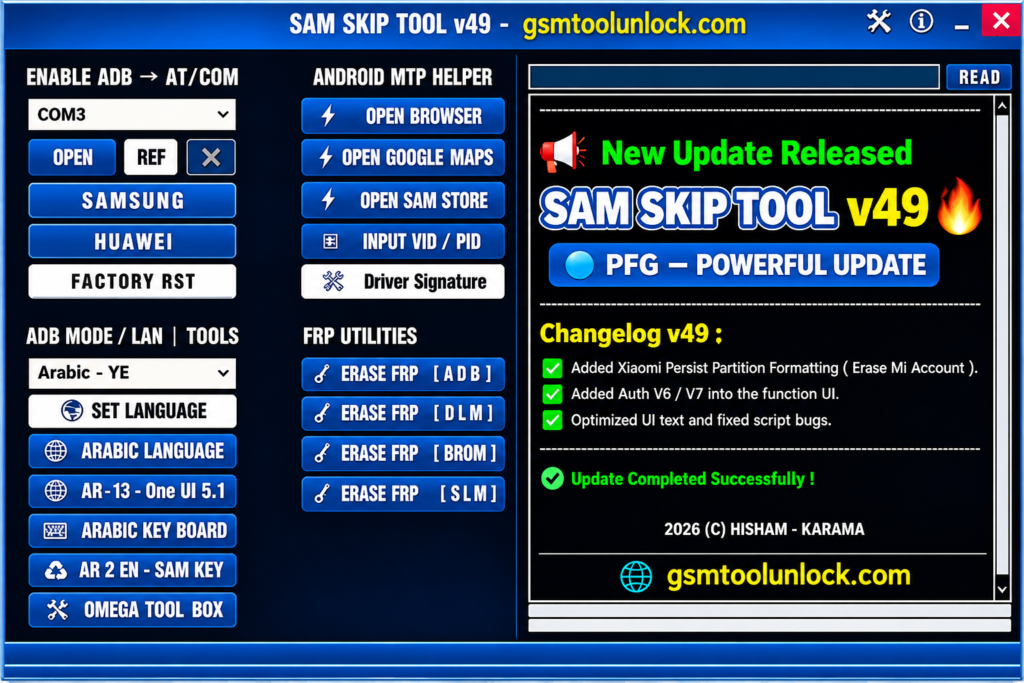
SAM SKIP Tool is a lightweight Windows utility for Android servicing. It connects to the phone through modes like ADB, Fastboot, COM Port, MTP, and Download Mode. It is built mainly for Samsung and Huawei phones. Basically, the tool works on FRP Lock, MTP Connection Problems, and Restricted System problems faced by technicians in their daily routine.
Features of SAM SKIP Tool 2027
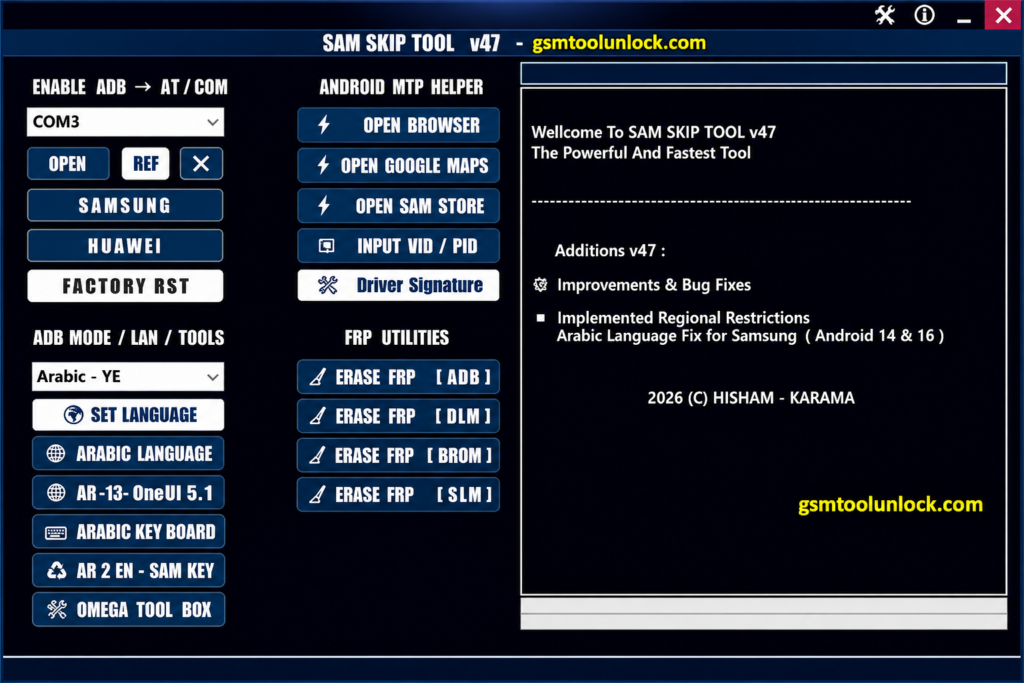
Enable ADB
It builds a bridge between the phone and the PC. Some builds list an ADB Enable option that works even when USB Debugging looks turned off on the phone, through special commands. This helps when a locked phone will not normally expose ADB.
FRP Reset and Erase Options
SAM SKIP Tool lists FRP reset through ADB Mode, and FRP erase through Download Mode, depending on the phone. Use this only for real owners who forgot their login.
MTP Mode and Android MTP Helper
It is the mode your PC uses to see a phone’s files and folders. The MTP Helper in this tool gives extra options for device connections when normal access is limited.
VID / PID Input Support
This can tell Windows exactly what hardware is plugged in, so it can load the right driver. Manual VID/PID input helps when a phone is not detected the normal way.
Driver Signature Fix
This tool can unblock some unsigned drivers that are blocked by Windows. It fixes that block so your PC can talk to the phone properly.
Factory Reset
This restores the phone to its default settings through the tool’s own interface. It erases user data, so back up first when you can.
Brand Support
SAM SKIP Tool is built mainly for Samsung Galaxy phones and tablets. Some versions add limited Huawei and Xiaomi-related utilities, such as an Mi Account erase option and Xiaomi Persist Partition formatting through the bundled PFG Tool module.
What’s New in SAM SKIP Tool V49?
- Added Xiaomi Persist Partition formatting
- Added Mi Account erase option
- Added Auth V6 / V7 support in the function menu
- Improved regional and Arabic language fixes, up to Android 14 and newer builds
- Fixed script and UI text issues
- Improved MTP device-information reading
Download Information
| Detail | Info |
|---|---|
| Tool Name | SAM SKIP Tool |
| Latest Version | V49 |
| File Size | 146 MB |
| Password | PFG123 |
| Platform | Windows 7, 8, 8.1, 10, 11 |
| Main Purpose | Samsung FRP and Android servicing |
| Device Support | Mainly Samsung; limited Huawei and Xiaomi utilities |
Also Read: Adanichell Tool V3.4 Free Download
How to Download & Install SAM SKIP Tool
- Download the tool from gsmtoolunlock or from a trusted source.
- Extract the ZIP or RAR package.
- Scan the files with your antivirus.
- Install the Android USB drivers your phone needs.
- Run the tool as Administrator.
- Connect your Android phone with a USB cable.
- Select ADB, MTP, or the mode you need.
- Perform the required operation and wait for it to finish.
Pros and Cons
Pros
- Lightweight software
- Easy-to-use interface
- ADB and MTP support
- Useful FRP utilities
- Language management, including Arabic
- Built-in Android shortcuts
Cons
- Proper drivers are required
- Mainly focused on Samsung devices
- Limited compatibility with other brands
- Advanced functions need technical knowledge
- Version numbers differ across sources
- May not work on the newest security patches
Conclusion
SAM SKIP Tool brings ADB enable, MTP help, FRP reset, COM port tools, and language settings into one simple Windows program. It is built mainly for Samsung Galaxy phones, with some Huawei and Xiaomi options added over time. Results change by model, Android version, and security patch, and version numbers differ across sources. Back up your data, use a genuine cable, keep the battery charged, and service only phones you are allowed to repair.
FAQ’s
1. Can SAM SKIP Tool remove Samsung FRP?
Yes, FRP removal is one of its main reported functions. Depending on the version and phone, it works through ADB, MTP, Download, or other supported modes.
2. Does SAM SKIP Tool work on all Samsung phones?
No. Support changes by Samsung model, Android version, security patch, chipset, and service mode. Always check your exact model first.
3. Can SAM SKIP Tool enable ADB when USB Debugging is off?
ADB Enable option can work even when USB Debugging is not normally visible on the phone. This is useful for locked phones during servicing.
4. Does SAM SKIP Tool support MTP mode?
Yes. Recent versions include an Android MTP Helper and MTP device-detection fixes, which help when normal phone access is limited.
5. What should I do if SAM SKIP Tool does not detect my Samsung phone?
Check the USB cable, the Samsung or Android USB drivers, the connection mode, and the COM port. Some versions also offer VID/PID input and a driver signature fix for stubborn connection problems.
7. Will SAM SKIP Tool delete my phone’s data?
Many FRP methods aim to avoid data loss, but results are not guaranteed on every model. A full factory reset inside the tool will erase data. Always back up first.


One Comment