
KS Tool V4.6 Free Download – Complete Android Repair & Flashing Tool
Your phone forgot its screen lock. Or it is stuck on the Google FRP screen. Or it keeps restarting on the logo. These software problems can make a phone useless, even when the hardware is fine. KS Tool is a Windows program that helps repair supported Android phones. It can flash firmware, fix boot loops, reset screen locks, and handle FRP, IMEI, and MDM jobs. It works with Qualcomm and MediaTek phones from Samsung, Xiaomi, OPPO, Vivo, Realme, and more.
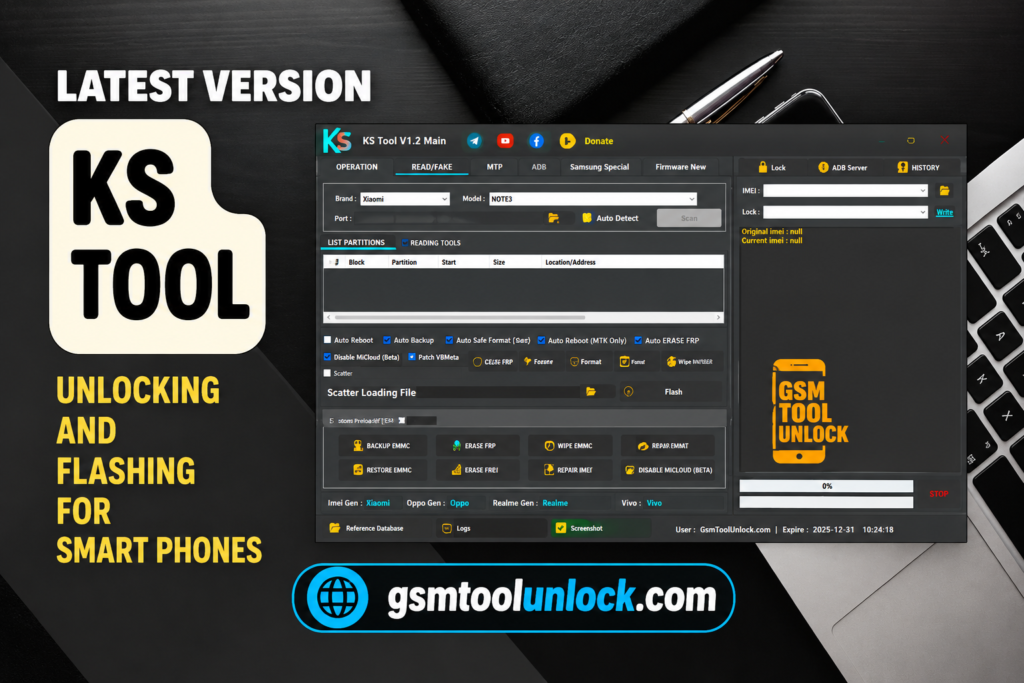
What Is the KS Tool V4.6?
KS Tool is a Windows-based Android repair and flashing program. It connects to a phone through USB. It supports various brands like Samsung, Xiaomi, Redmi, POCO, OPPO, Vivo, Realme, Huawei, etc. It is widely used by GSM technicians for fast and reliable Android servicing. It communicates with the mobile through USB drivers like ADB, Fastboot mode, and Download Mode.
Features of KS Tool 2027
Firmware Flashing
This tool can flash stock firmware on supported Qualcomm and MediaTek phones. This helps with boot loops, soft bricks, and failed updates.
Screen Lock Removal
KS Tool lists a screen lock reset option for supported phones. Some methods may erase data, so do not promise customers that nothing will be lost.
FRP Removal
The FRP tool works through ADB, Fastboot, EDL, META, or Download Mode, depending on the phone.
Bootloop Repair
A boot loop means the phone keeps restarting and never opens Android. Flashing the right firmware often fixes it.
Factory Reset and Data Wipe
This brings the phone back to its clean starting state. It deletes personal files, so back up first when you can.
ADB and Fastboot
Fastboot is a special mode used before Android starts. KS Tool uses both to talk to the phone.
IMEI Repair
IMEI is the unique number that identifies your phone on a mobile network. If it gets damaged, the phone may lose signal. Use this feature only where your local law allows it.
Multi-Brand Support
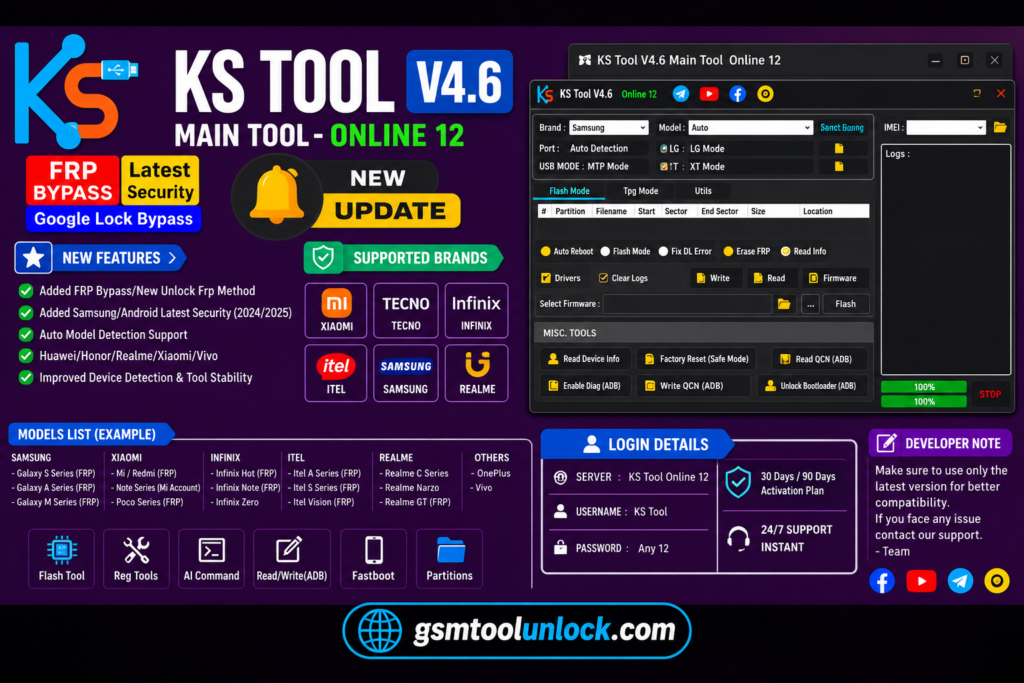
The tool lists Samsung, Xiaomi, Redmi, POCO, OPPO, Vivo, Realme, Huawei, Motorola, Nokia, Tecno, and Infinix. Tecno and Infinix are popular in many markets.
Device Diagnostics
Before you start a repair, the tool can read the model, chipset, Android version, build number, serial number, and security patch level. This tells you which method to choose.
Common Errors and Solutions
| Problem | What to Try |
| Phone is not detected | Reinstall the USB drivers or use another USB port and cable |
| Qualcomm phone will not connect | Use the right EDL (9008) loader for that model |
| MediaTek phone will not connect | Enter BROM mode, or use a Secure Boot bypass if needed |
| Samsung FRP step fails | Switch between ADB mode and COM mode, then try again |
| Partition or flashing error | Check that the firmware matches your exact model |
| KS Tool crashes | Close it, reopen it, and reconnect the phone |
Download Information
| Detail | Info |
| Software Name | KS Tool |
| Latest Version | V4.6 |
| Category | Android flashing and repair tool |
| Platform | Windows |
| License | Free (some sources) |
| File Size | 199.71 MB |
| File Password | None |
| Supported Chipsets | Qualcomm (QCOM), MediaTek (MTK) |
Also Read: Android Win Tool v2.2.4 Free Download
System Requirements
| Component | Requirement |
| Operating System | Windows 7, 8, 10, 11 (32-bit and 64-bit) |
| Processor | Intel or AMD dual-core or better |
| RAM | 4 GB minimum (8 GB recommended) |
| Storage | 1 GB free space or more |
| Drivers | Android USB, Qualcomm USB, MediaTek USB VCOM |
| USB | Working USB port and a good cable |
How to Download KS Tool V4.6
- Download the latest KS Tool package from gsmtoolunlock or from a trusted source.
- Extract the ZIP or RAR file with WinRAR or 7-Zip.
- Scan the files with your antivirus.
- Install the Android USB drivers. Add the Qualcomm and MediaTek VCOM drivers if you need them.
- Run the setup file as Administrator.
- Follow the on-screen steps.
- Restart your PC so the drivers load.
- Open KS Tool from the desktop shortcut.
- Connect the phone in ADB, Fastboot, EDL, BROM, or Download Mode.
- Choose the job you need and watch the log until it finishes.
Conclusion
KS Tool puts firmware flashing, FRP, screen lock reset, boot loop repair, IMEI, and MDM jobs into one Windows program. It supports Qualcomm and MediaTek phones and many popular brands. The interface is simple, and the error table above can save you time. Still, results depend on your phone model, chipset, and security patch. Back up data, use the right firmware, and repair only phones you are allowed to service.
FAQ’s
Does KS Tool support Qualcomm and MediaTek devices?
KS Tool supports Qualcomm (QCOM) and MediaTek (MTK) phones through modes like EDL, Fastboot, and BROM. The exact mode depends on the phone model.
Which brands work with KS Tool?
Samsung, Xiaomi, Redmi, POCO, OPPO, Vivo, Realme, Huawei, Motorola, Nokia, Tecno, and Infinix are listed. Check your own model before you buy or promise a result.
Is KS Tool free to use?
Yes. KS Tool v4.6 is available as a free Windows utility for supported Android repair and servicing operations.
Can KS Tool remove Google FRP?
Yes. KS Tool can bypass Google Factory Reset Protection (FRP) on many supported Android smartphones using the available FRP service methods.
Are KS Tools a good brand?
KS Tools uses high-quality materials and advanced technology to manufacture reliable hand tools, storage solutions, and power tools.
One Comment