
SamFlash Tool V4.1 Free Setup Download For Samsung Devices
Your Samsung Galaxy gets stuck on the FRP screen. Or a bad update leaves it stuck on the logo. Or the phone shows a software error after a reset. SamFlash Tool provides a solution for flashing firmware, recovery data, installing custom ROMs, FRP removal, and factory reset. SamFlash Tool is a Windows program made for Samsung Galaxy phones and tablets. It also supports Galaxy devices with Qualcomm and MediaTek chipsets, depending on model compatibility and security level.
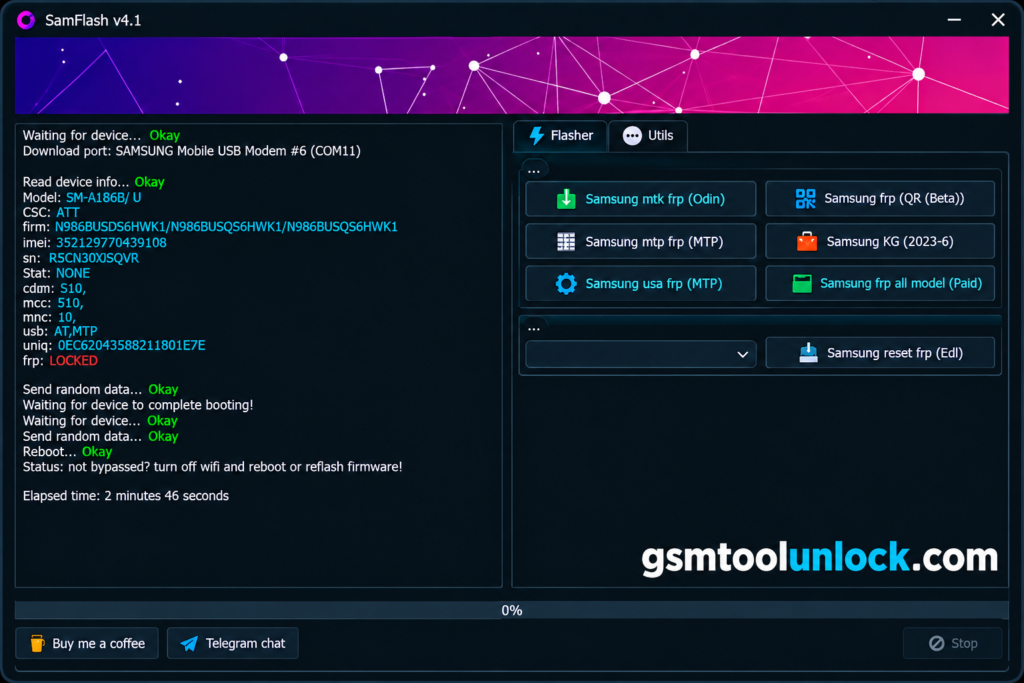
What Is SamFlash Tool?
SamFlash Tool v4.1 is a Windows-based tool specifically designed for repairing Samsung devices. The tool also supports screen lock removal, rooting, and firmware downgrading. It offers different servicing methods, including Download Mode, MTP, and EDL, depending on device compatibility.
Features of SamFlash Tool
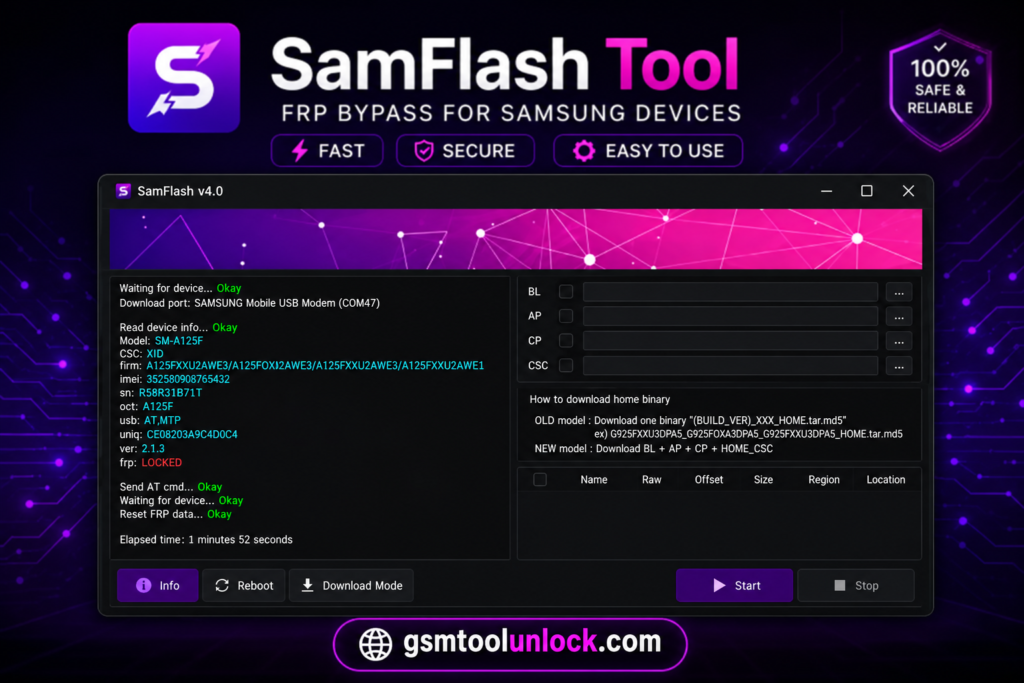
Firmware Flashing and Backup
SamFlash Tool can flash these files on supported phones. It can also back up firmware on compatible devices. A backup helps protect your data.
FRP Servicing
The tool offers FRP options for real owners who forgot their login. Version 4.1 added an FRP erase option through EDL and an MTP-based option for some US models.
Samsung MediaTek Support
Some Samsung phones use MediaTek chips. The tool lists support for them. Which features work depends on the model, security level, and firmware.
IMEI Repair
IMEI is the unique number that identifies your phone on a mobile network. If a software problem damages it, the phone may lose signal. Use this feature only where your local law allows.
Multi-Mode Connectivity
The tool connects through Download Mode, MTP, and EDL. It may also list Fastboot, depending on the phone.
Download Information
| Detail | Info |
| Tool Name | SamFlash Tool |
| Version | V4.1 |
| File Size | About 46 MB (46.22 MB) |
| File Type | 7z / ZIP archive |
| File Password | None |
| Platform | Windows |
Also Read: Nusantara Unlock Tool Free Download for PC
What’s New in SamFlash Tool V4.1?
- New Samsung FRP erase option through EDL
- Added a paid Samsung FRP erase function
- MTP-based FRP support for some US Samsung models (Galaxy S, Note, A, and Z series)
- Updated interface for easier use
- Added Samsung MTP and Samsung QR options
- Fixed firmware loading
- Bug fixes and other improvements
System Requirements
| Requirement | Details |
| Operating System | Windows 7, 8, 8.1, 10, 11 |
| Processor | Any Windows-compatible processor |
| RAM | 4 GB is a safe choice |
| Storage | Enough free space to extract the archive |
| Drivers | Samsung USB drivers |
How to Install SamFlash Tool V4.1
- Download SamFlash Tool V4.1 from gsmtoolunlock or from a trusted source.
- Extract the ZIP or 7z file with WinRAR or 7-Zip.
- Install the Samsung USB drivers on your PC.
- Open the extracted folder.
- Run SamFlash Tool as Administrator.
- Connect your Samsung phone with a working data cable.
- Choose the function you need, such as firmware flashing.
- Follow the on-screen steps and wait until the process finishes.
- Do not unplug the cable until the log says it is done.
Pros and Cons
Pros
- Flashes Samsung firmware and backs it up
- Several modes, including MTP and EDL
- FRP options for supported models
- Light and portable
- Selected Qualcomm and MediaTek Samsung models
- Some free functions
Cons
- Works only on Windows
- Works only on Samsung phones
- No verified official website or support team
- Some FRP features may cost money
- Wrong firmware can cause boot problems
- Support changes by security patch
Conclusion
SamFlash Tool helps technicians flash Samsung firmware, back up data, fix software errors, and use FRP options on supported Galaxy phones. It is small and runs without a hard setup. But it has no verified official website, and results change from model to model. Check your phone model, firmware version, and security level first. Back up your data, use a trusted file, and repair only phones you are allowed to service.
FAQ’s
What is SamFlash Tool for?
It is used for Samsung firmware flashing, firmware backup, FRP servicing on supported models, and software recovery.
Does SamFlash Tool work on the latest Samsung phones and Android 14?
Not always. Users report mixed results on Android 14 and on phones like the Galaxy A15. Support depends on the model, chipset, firmware, and security patch.
Is SamFlash Tool free?
Yes, many versions of SamFlash Tool are available free of charge.
Why does SamFlash Tool fail to detect my Samsung phone?
Check that Samsung USB drivers are installed, use a working data cable, and confirm the phone is in the required mode. Hardware or USB port problems can also prevent detection.
Why does SamFlash Tool show an “Invalid L0KE response: 0xFF” error?
A Samsung Galaxy A05 user reported this error. Compatibility, connection mode, chipset, and security patch may affect the result.

One Comment