
Auth Flash Tool V1.2 Full Setup Download for Windows – MTK Auth Tool (2027)
An FRP lock stops a phone after a reset. A MediaTek phone blocks normal flashing because of its own security check. A boot loop keeps a phone from starting. Auth Flash Tool is a Windows program that fixes these issues. It focuses on MediaTek authentication, with strong support for Xiaomi phones, and some support for Qualcomm devices.
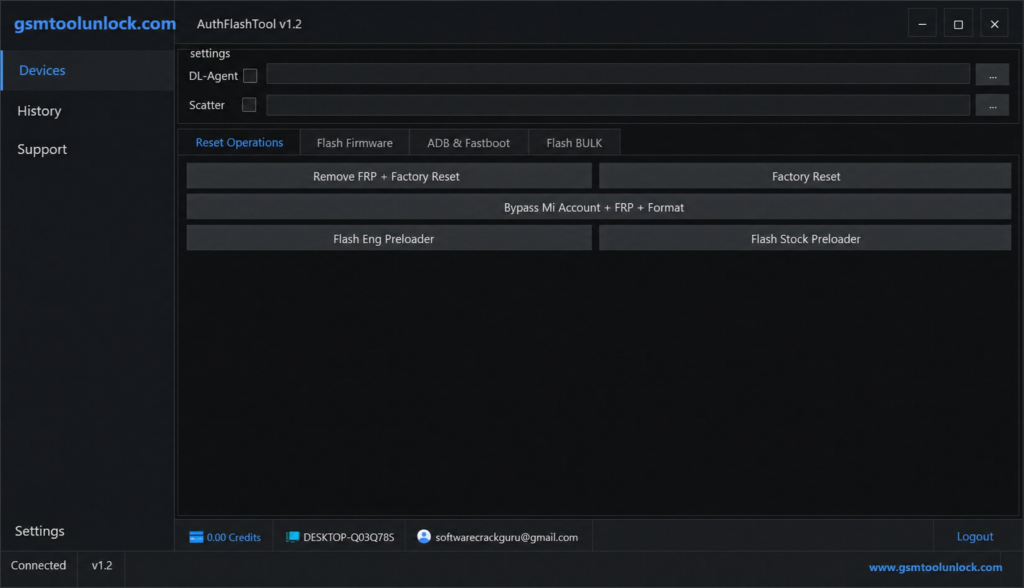
What Is Auth Flash Tool?
Auth Flash Tool is a Windows-based Android servicing program. MediaTek chips use a security check called DA Auth, so a normal flashing tool cannot write firmware without passing this check first. Auth Flash Tool is built to work with this check on MTK V5 and V6 security, and it also offers FRP removal, firmware flashing, and EFS backup; it also works with an online auth server for some functions. MediaTek is one of the most used chipset makers in budget and mid-range Android phones, especially in tier 2 markets across South Asia, Southeast Asia, and Africa.
Features of Auth Flash Tool V1.2
MTK Auth Bypass
This feature manages the authentication step for MediaTek phones using V5 and V6 security. It opens the door for other servicing tasks, such as firmware flashing and device maintenance, on brands like Xiaomi, Redmi, POCO, OPPO, Vivo, and Realme.
Flash Stock Firmware
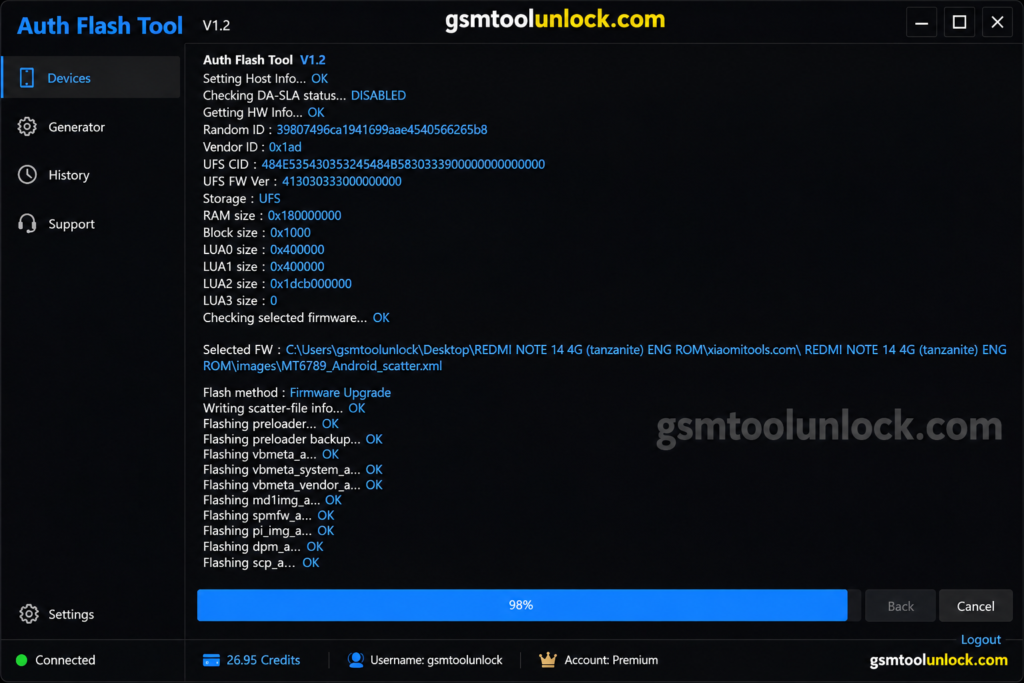
This installs the official ROM on a compatible phone. It can restore the original software, fix software bugs, and recover a phone stuck in a boot loop. On protected MediaTek phones, this step may need authentication to pass first.
Remove FRP Lock
Auth Flash Tool lists FRP removal for supported MediaTek and Xiaomi devices after a genuine factory reset. Use this only for real owners who forgot their login.
Factory Reset
This clears user data and brings the phone back to its default software state. It helps fix software issues and prepares a phone for reuse or testing.
Backup and Restore EFS
EFS stores important network data, including IMEI. IMEI is the unique number that identifies a phone on a mobile network. Auth Flash Tool can back up EFS before a repair and restore it later if something goes wrong.
Skip EFS During Flashing
This option flashes the phone’s software without touching the EFS partition, which helps keep important device data safe during a repair.
Safe Format
This clears selected storage areas without doing a full firmware reinstall. It is a lighter option when a full flash is not needed.
Fastboot to EDL
Fastboot is a mode used before Android starts. EDL means Emergency Download Mode, a deeper repair mode often used on Qualcomm phones. This feature switches a supported phone from Fastboot into EDL for advanced flashing work.
Xiaomi Device Support and Mi Account Bypass
Auth Flash Tool has strong support for Xiaomi phones. It lists an option to bypass a locked Mi Account during the repair process on supported models.
What’s New in Auth Flash Tool V1.2?
- Improved MTK authentication process
- Better support for MediaTek V5 and V6 devices
- Improved Xiaomi device compatibility
- Faster device detection and flashing speed
- Better Fastboot and EDL communication
- Enhanced EFS backup and restore
- Updated, more stable user interface
- Better Windows 10 and 11 compatibility
- MediaTek V6 services now offered free on some builds, removing the need for paid credits on supported jobs
Auth Flash Tool Download Information
| Detail | Info |
|---|---|
| Tool Name | Auth Flash Tool |
| Version | V1.2 |
| File Type | ZIP / RAR package |
| Platform | Windows |
| Main Device Support | MediaTek (MTK), with Xiaomi, Redmi, POCO, OPPO, Vivo, and Realme |
| MTK Support | V5 and V6 |
| USB Driver | MediaTek USB VCOM |
| Internet | Required for authentication and some server-based jobs |
| Login | May be required, depending on the version and operation |
Also Read: Android Debug Bridge Tool (ADB) V37.0.1
System Requirements
| Requirement | Details |
|---|---|
| Operating System | Windows 7, 8, 10, or 11 (64-bit preferred) |
| USB Drivers | Latest MediaTek (MTK) USB VCOM drivers |
| Processor | Dual-core or better |
| RAM | 4 GB or more |
| Storage | 500 MB free space, minimum |
| USB Port | At least one working port |
| Internet | Needed for authentication and some operations |
How to Download Auth Flash Tool V1.2
- Download the setup from gsmtoolunlock or from a trusted source.
- Check that the file is complete and not damaged.
- Scan the archive with your antivirus before you open it.
- Extract the ZIP or RAR file with WinRAR or 7-Zip.
- If a second link is offered, use it only as a backup, and only if it comes from a source you already trust.
How to Install Auth Flash Tool V1.2
- Install the latest MediaTek USB VCOM drivers first.
- Restart your PC if asked.
- Connect your phone only after the drivers finish installing.
- Open the extracted folder.
- Right-click the tool’s executable file.
- Select Run as Administrator.
- Allow any Windows Security or firewall prompts.
- Check that your MediaTek device is detected correctly before you start FRP, flashing, or auth bypass work.
Conclusion
Auth Flash Tool is built around one core work, in past MediaTek’s own authentication check so a technician can flash firmware, remove FRP, and repair software on MTK and Xiaomi phones. It adds EFS backup, Fastboot-to-EDL, and a simple interface on top of that. Because it uses an online auth server for some functions, keep your internet connection stable and your login details safe. Use correct drivers, matching firmware, and service only phones you are allowed to repair.
FAQ’s
Is Auth Flash Tool free?
Some features are free, and recent updates made MediaTek V6 services free on certain builds, removing the need for paid credits. Other advanced operations may still need authentication, credits, or an active service account.
Is Auth Flash Tool compatible with MTK V6?
Yes. Version 1.2 was built to improve compatibility with supported MediaTek V5 and V6 devices.
Can Auth Flash Tool remove FRP?
Yes, it lists FRP servicing for supported MediaTek and Xiaomi devices. Use this feature only on your own device or one you are authorized to repair.
Does Auth Flash Tool support Xiaomi devices?
Yes. It has strong Xiaomi support, including flashing, FRP work, and a Mi Account bypass option on supported Redmi and POCO models too.
Is login required to use Auth Flash Tool?
It depends on the version and the operation. Some server-based functions need account authentication, including two-factor login in some cases.
Why does Auth Flash Tool crash on startup?
This often happens when antivirus or Windows Security quarantines a needed file. Only restore or allow a file once you have confirmed it came from a trusted source.
Why does my OTP or auth key show “Not Valid”?
A server-issued code can expire or become invalid after one use. Request a new one through the tool’s own authorized channel and try again before it expires.


One Comment