
Safina Pro Tool V2026 Latest Version – Free Download & Features
Safina Pro Tool is designed especially for Xiaomi users to solve issues related to software. If a Xiaomi phone gets locked, then Safina Pro Tool is helpful to unlock it. It deals with multiple problems like FRP locks, Fast boot errors, and reset problems too. Safina Pro Tool is helpful to solve these types of issues.
What is a Safina Pro Tool?
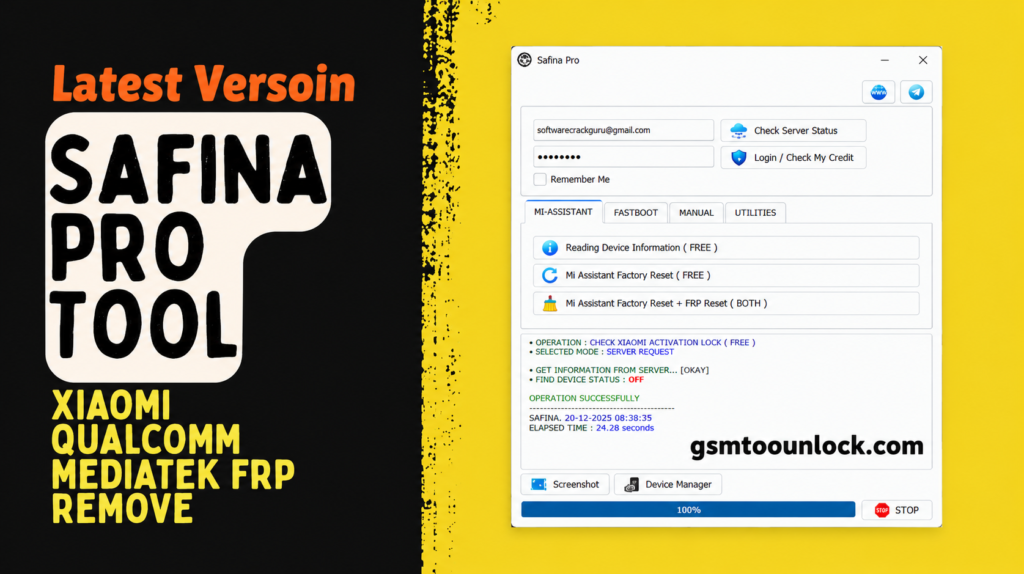
Safina Pro Tool is designed to provide help to technicians to resolve Xiaomi issues. It provide supported functions like reading phone information, performing a factory reset, and working with Fastboot mode, etc. it provides support for Xiaomi devices.
Key Features of Safina Pro Tool
Mi Assistant
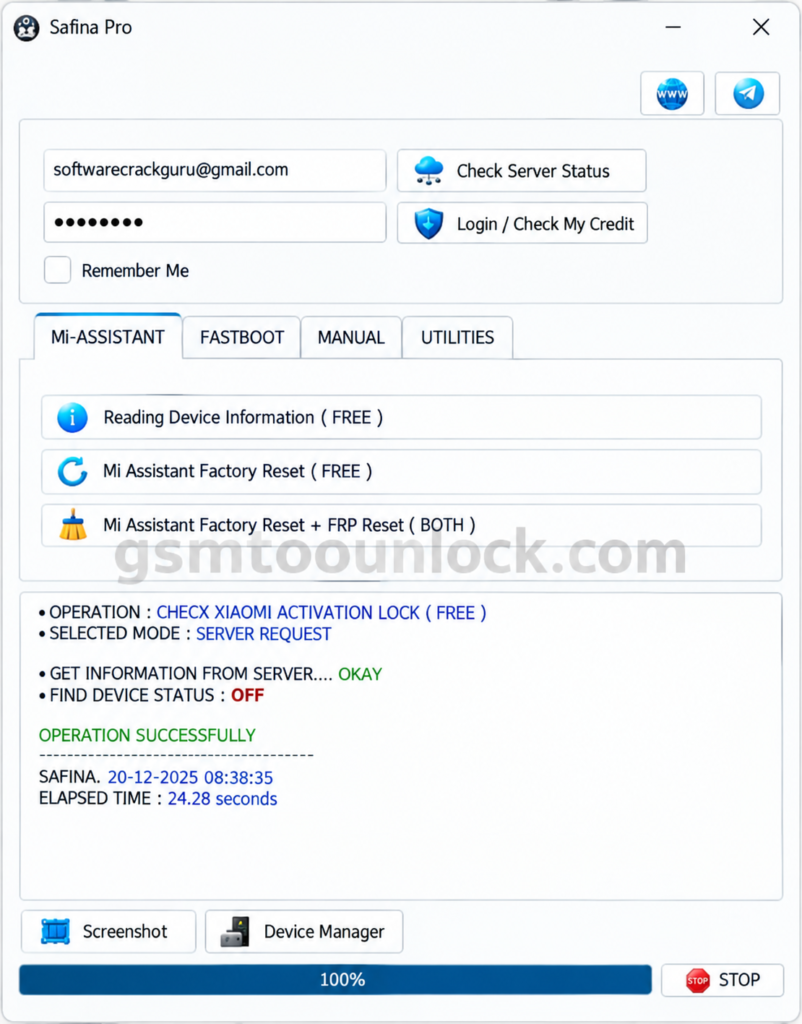
This feature provides help to users to perform initial functions on linked Xiaomi devices. It provides the facility of Reading Device Information. It is helpful to read out the main details about the supported device. It also provides Mi Factory Reset, which is helpful to restore the phone and make it like a new device. One of the most important functions of this tool is Mi Assistant Factory Reset or FRP Reset, which is helpful for the safety of the phone.
Fastboot
Fastboot mode grants the relevant tools to communicate with Xiaomi devices in order to perform certain operations and perform servicing as well. It provides the newly available details under Reading Device Information Mode to help the technicians get the basic information about the device. This feature also includes Fastboot to EDL and unlocks Bootloader modes. These modes, like Fastboot to EDL, are helpful to turn devices on emergency mode for recovery operations; likewise, bootloader helps to unlock the bootloader for the performance of software-related tasks.
Manual
In order to perform servicing on Xiaomi devices, the manual section is helpful. It provides multiple operations to perform, for instance, Mi Assistant factory Reset and FRP Reset, Fastboot to EDL, and Unlock Bootloader. Mi Assistant jointed with factory reset is helpful in performing FRP operations. The Fastboot to EDL operation helps to switch the device from Fastboot to EDL mode in order to recover data.
Utilities
This feature provides additional functions to provide help users as well as technicians check information on relevant Xiaomi devices. It provides a whole list of options, such as Check Xiaomi Activation (Free) to check whether the device has activation lock or not.
Download Information
| File Name | Safina Pro Tool (Latest Version) |
| Supported OS | Windows 10 / Windows 11 |
| Architecture | 64-bit (x64) |
Also read: Griffin Unlocker Tool V2026.07.10
What’s New in Safina Pro Tool V2026?
- Better FRP Bypass with newer Android security patches.
- Expanded Qualcomm EDL with Improved flashing and unlocking for Qualcomm chips.
- Upgraded Xiaomi Fastboot: Enhanced device detection and troubleshooting.
- Streamlined Drivers: Easier setup for MediaTek, Qualcomm, and SPD.
System Requirements
| Requirement | Minimum | Recommended |
|---|---|---|
| Operating System | Windows 7 / 8 (32-bit or 64-bit) | Windows 10 / 11 (64-bit) |
| Processor | Intel Core 2 Duo / AMD Athlon | Intel Core i3 / AMD Ryzen 3 or higher |
| RAM | 2 GB | 4 GB or more |
| Storage | 500 MB free space | 1 GB free space (for drivers & logs) |
| USB Ports | USB 2.0 | USB 3.0 (for faster data flashing) |
| Permissions | Administrator access | Administrator access |
How to Download, Install Safina Pro Tool
- In order to download Safina Pro Tool, click on GSM Tool Unlock.
- Find download button and click on it.
- Keep waiting until the download is complete.
- When the download is finished, locate it on your device.
- Click twice on the file to start the installation.
- The tool is ready to use.
Pros and Cons
Pros
- It provides an easy-to-use interface.
- It provides device information to help technicians.
- It provides a feature of Activation Lock Checking to keep a security check.
- Some operations are available free of cost.
- It gathers multiple functions under one tool.
Cons
- It is limited to Xiaomi devices only.
- It needs particular authorization.
- It includes a risk of losing data.
- It may require technical knowledge while performing certain operations.
- Tool errors can cause interruptions in service functions.
Conclusion
It can be frustrating to deal with Xiaomi phones sometimes. Whether you are facing an FRP reset issue, Fastboot, or EDL access issue, the best solution to this problem is the Safina Pro tool. It supports a wide range of Xiaomi Qualcomm and MediaTek devices with free and authorized features. It’s suitable for both Beginners And Professionals. The tool is a one-in-all perfect solution for handling Xiaomi devices.
FAQ’s
Is the Safina Pro tool free software?
Yes, the basic version is free for all. However, the advanced features require a subscription.
Does the Safina Pro tool support Xiaomi devices?
Yes, the tool supports multiple devices, including Xiaomi, Redmi, and Poco devices.
Does the tool support MediaTek devices?
Yes, the tool is compatible with multiple MediaTek devices, including modules for MTK V5 and MTK V6 chipsets.



One Comment