
BeTools V7.22.16.353 | Free Flash Tool Download Setup for Windows
Your phone gets stuck on the logo, and a corrupted file bricks a MediaTek device. A customer forgets their screen lock. BeTools is a small Windows program made to fix these problems on MediaTek (MTK) and Spreadtrum/Unisoc (SPD) phones. It flashes stock firmware, helps with FRP, and fixes boot loops.
What Is BeTools?
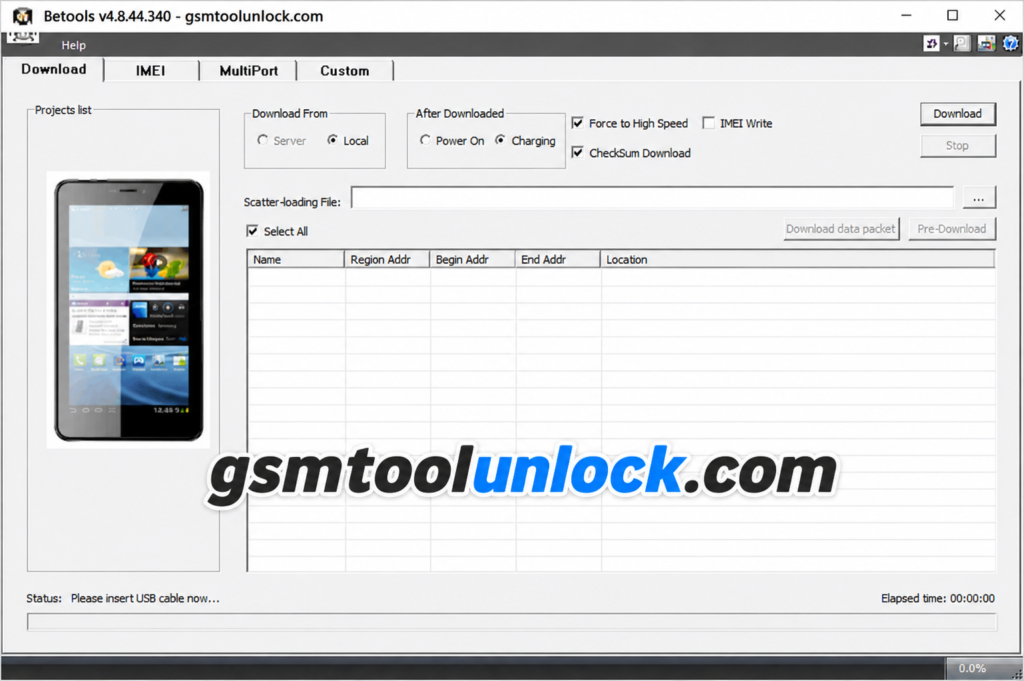
BeTools is a Windows-based flashing tool made by Betrone Communication Co. It is built mainly for phones powered by MediaTek or Spreadtrum/Unisoc chips. It gives technicians a set of maintenance options: installing stock or custom ROMs, removing screen lock restrictions, and fixing some software crashes. BeTools is fully free to use. It is compatible with Windows XP through Windows 11, on both 32-bit and 64-bit systems.
Features of BeTools 2027
Firmware Flashing
This can install stock firmware on supported MediaTek and Spreadtrum phones. You need the correct firmware file for your exact device model before you start.
File Support
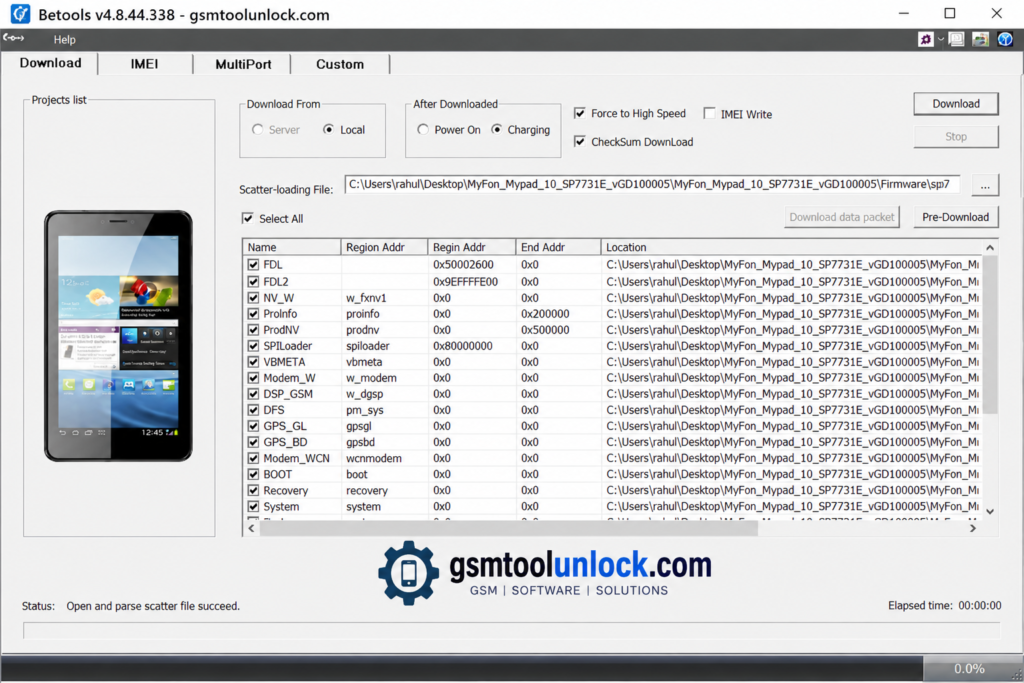
This works with two main file types. MediaTek phones use a scatter-loading file, usually ending in .txt or .xml. Spreadtrum/Unisoc phones use a PAC file. Using the correct file type and format helps the flashing process go smoothly.
Multi-Port Flashing
This tool lets you flash more than one phone at the same time through different USB ports. It is useful for shops that handle several repair jobs together.
Backup and Restore NVRAM
NVRAM and PRO_INFO store device-specific settings. Tool can back up this data before flashing and restore it afterward, which helps protect important device information.
Custom Firmware Support
Some users want more control over their phone’s software. This Tool supports flashing custom firmware builds on compatible devices for users who want options beyond the stock ROM.
Screen Unlock and FRP
BeTools lists screen unlock and FRP-related help for forgotten passwords, PINs, and patterns on supported devices. Use this only for real owners who forgot their login.
Automatic USB Driver Install
When you install BeTools, it automatically installs the matching USB driver needed to connect to MediaTek or Unisoc devices.
Supports Only MTK and SPD Devices
BeTools is built only for MediaTek and Spreadtrum/Unisoc Android phones and tablets. It does not work with Qualcomm, Samsung Exynos, or Apple devices.
BeTools Download Information
| Detail | Info |
|---|---|
| Tool Name | BeTools |
| Latest Version | V7.22.16.353 |
| File Size | About 52.8 MB |
| File Password | None |
| Developer | Betrone Communication Co. |
| Platform | Windows XP through Windows 11 (32-bit and 64-bit) |
| Supported Chipsets | MediaTek (MTK), Spreadtrum/Unisoc (SPD) |
| License | Free |
Also Read: TFT MTK Module Tool v7.0.0 100% Free Setup
How to Download, Install This Tool
- Download the latest BeTools package from gsmtoolunlock or from a trusted source.
- Extract the ZIP file if needed.
- Scan the files with your antivirus before you open them.
- Run the installer and follow the on-screen steps.
- Launch BeTools as Administrator.
- Click Browse and locate the correct firmware file for your exact phone model.
- Connect your phone to the computer with a USB cable.
- Click Download to start the flashing process.
- Wait until the process finishes before you disconnect the phone.
Pros and Cons
Pros
- Free to download and use
- Supports stock and custom firmware
- Multi-port flashing saves time on busy days
- Works from Windows XP to Windows 11
- Backs up NVRAM and PRO_INFO before flashing
Cons
- Works only on MediaTek and Unisoc chips
- Wrong firmware file can damage the phone
- No official support channel beyond community sites
- Flashing erases user data
- No Mac or Linux version
Conclusion
BeTools is a simple, free Windows tool for flashing stock and custom firmware on MediaTek and Spreadtrum/Unisoc phones. It also offers screen unlock help, FRP-related options, IMEI rewriting, and multi-port flashing for busy repair days. It is lightweight and works on very old and new Windows versions alike. Still, flashing always carries some risk, so use the correct firmware file, back up your data, and repair only phones you are allowed to service.
FAQ’s
Which operating systems does BeTools support?
It runs on Windows, from Windows XP through Windows 11, on both 32-bit and 64-bit systems.
2. Does BeTools support MediaTek and Unisoc devices?
Yes. BeTool is built mainly for phones powered by MediaTek (MTK) and Spreadtrum/Unisoc (SPD) chipsets.
Can BeTools remove FRP or unlock a screen lock?
It lists screen unlock and FRP-related help for forgotten passwords, PINs, and patterns on supported devices. Use this only on phones you own or are authorized to repair.
Will flashing with BeTool erase my phone’s data?
Yes. Flashing stock firmware removes the phone’s data. Always back up your important files before you start.
What file types does BeTool use for flashing?
MediaTek phones typically use a scatter file (.txt or .xml), and Spreadtrum/Unisoc phones use a PAC file.
Is BeTools free to download?
Yes. It is shared as a free tool by its developer, Betrone Communication Co.
Can BeTools repair a corrupted IMEI?
It lists an option to write or reset the IMEI to the phone’s default value on supported devices. Only use this where your local law allows IMEI-related work.
One Comment