
OTAKO SOFT TOOL V2.0 Latest Version Free Download Setup [2027]
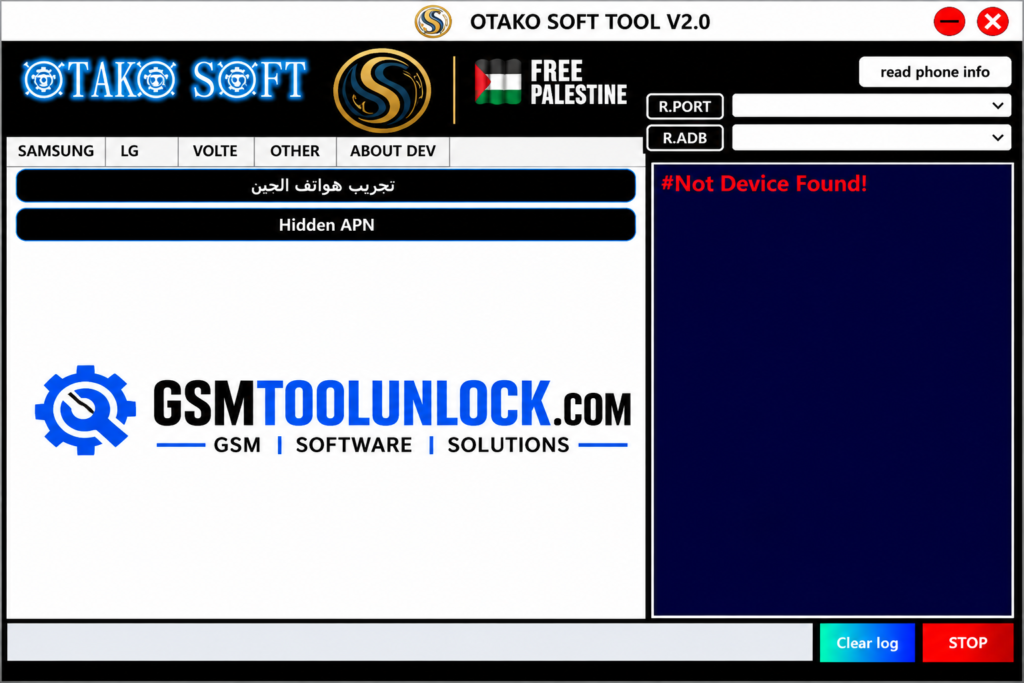
Otako Soft Tool is designed to help the user in order to perform different types of digital tasks. It provides a simple and user-friendly interface that is helpful for managing software-related tasks. It provides multiple options to perform tasks such as managing applications, performing other functions, and handling files. Its operations make the performance of digital tasks easy for users. The best thing of Otako Tool is that it provides basic utilities of software at one platform.
What is Otako Soft Tool?
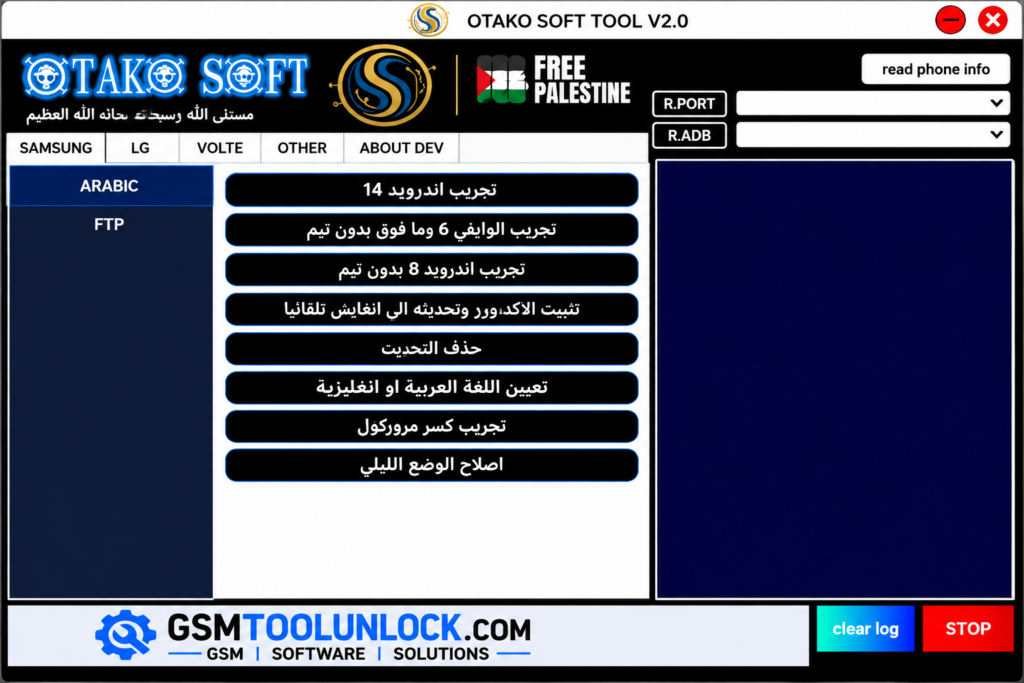
Otako Soft Tool is designed to perform repair functions on Android devices. It is helpful for performing various tasks like FRP locks, Knox restrictions, language configuration, and network settings. This tool is now available free of cost to help technicians to perform distinct tasks related to device management. It provides multiple features like LG support, Samsung FRP & Knox, Arabic language tools, ADB Reboot modes, and Network & ANP Tools.
Key Features of OTAKA Soft Tool
Samsung FRP & Knox
This tool is helpful as it provides various options for Samsung devices to perform Samsung FRP with the help of ADB or Test Mode. Not only that, but it also provides certain methods for Knox removal functions.
LG Support
This tool provides various options for LG devices also like it provides Arabic language setup and also provides a path to APN settings.
Arabic Language Tool
This tool provides an Arabic language kit in order to support Android 6 by using Android 14. It provides various options like Arabic UI, language removal, setting Arabic language as the default language, and keyboard setup.
ADB Reboot Mode
One of the most prominent features provided by this tool is ADB Reboot Mode. This mode helps the user to move in order to reboot a device into normal, Recovery, Download, EDL, or bootloader mode immediately. It does not require a separate command.
Network & APN Tools
This tool provides direct access to APN settings and Network Mode. It helps the user to install require Network Mode APK and perform basic operations related to network.
How to download Otako Soft Tool?
- You can download OTAKA Soft Tool from GSM Tool Unlock.
- Extract the ZIP file with the help of WinRAR or 7-Zip.
- You are required to install the needed driver such as ADB, Samsung, LG, or USB drivers.
- You are required to run the tool as an administrator.
- In the next step, connect your device with a USB cable.
- Once the tool is downloaded, verify its model and version.
- Now the tool is ready to run.
Download Information
| Tool Name | OTAKO Soft Tool |
| Operating system | Windows |
| License | Free |
Also Read: Extra Tool V1.4.9 Free Download for FRP Bypass and Unlock [2027]
Pros & Cons
Pros
- It provides an easy and user-friendly interface.
- It is available free of cost.
- It provides support for FRP.
- It performs service tasks immediately, which saves time.
- It offers multiple functions like device repair and servicing.
Cons
- It offers limited compatibility.
- It provides support for Windows-based computers.
- Some functions require technical knowledge.
- Some functions may cause data loss.
- It requires a portable drive, such as a USB port.
Conclusion
Otako Soft Tool is a very useful Android servicing option that provides multiple features within a single platform. The tool offers a wide range of features, including Samsung Fr P, Knox function, LG support, VoLTE slash IMS setup, Arabic language tool, ADB reboot modes, and network settings. The tool makes it easy to use different tools for the same purposes. It offers simple navigation and an easy-to-use interface. You can download the file from our website and repair within just a few steps.
FAQ’s
Is Otako Soft Tool free?
Otako Soft Tool Tool is commonly used as a windows utility. Always check the licensing information and the current release information from the source before using the tool.
Does Otako Soft Tool support Samsung?
Yes, the tool offers a wide range of Samsung-related functions, including FRP, Knox, Arabic, VoLTE/ IMS, and ADB functions for multiple supported devices.
Can it fix Arabic language problems?
The Otako Soft Tool supports multiple Arabic language-related servicing options, including UI configuration options for multiple Android versions and brands.
Does it support LG phones?
The Otako Soft Tool provides VoLTE/IMS and APN-related functions. However, the VoLTE availability and compatibility depend on the carrier, SIM, firmware, region, and devices

One Comment