
TFT MTK Module Tool v7.0.0 100% Free Setup Download [2027]
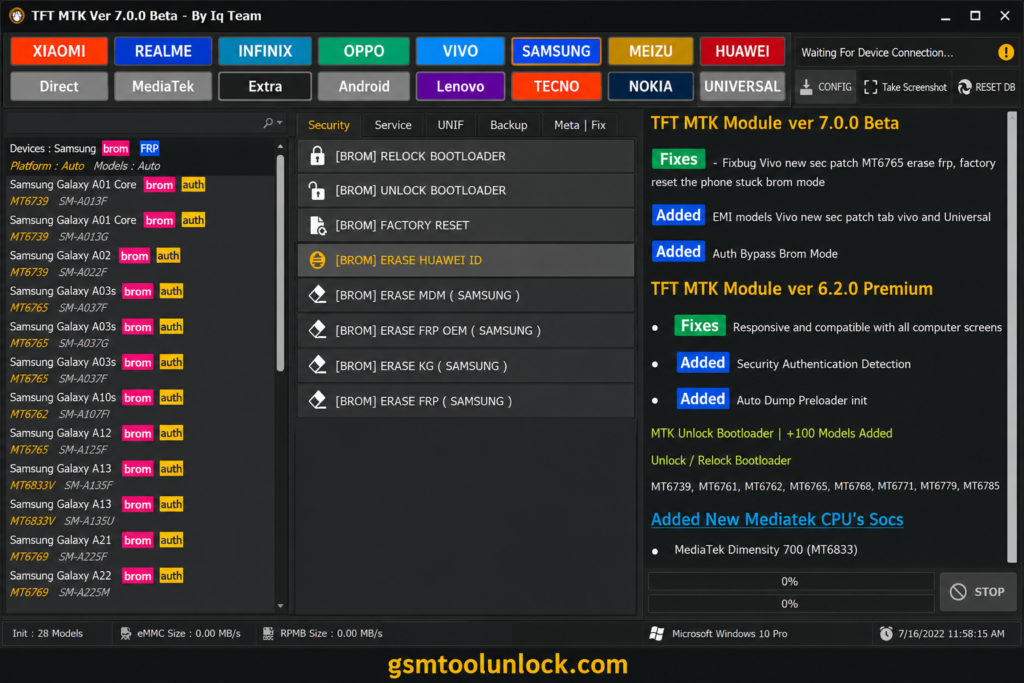
The TFT MTK Module Tool is a useful utility for mobile experts and technicians to perform servicing and repair functions. It is a powerful tool that supports multiple brands and MediaTek processors. It offers a wide variety of features, including FRP removal, firmware flashing, factory resets, partition management, and bootloader unlocking. It supports multiple brands, such as Oppo, Vivo, Realme, Xiaomi, and Infinix.
What is TFT MTK Module Tool?
TFT MTK Module Tool is designed to perform firmware flashing operations on MediaTek-supported devices. This tool helps perform multiple reset tasks, such as FRP locks, Mi account locks, and bootloader unlocking, on MediaTek-powered devices. It uses portable devices like USB cables to perform servicing operations. It helps technicians perform maintenance-related tasks.
Key Features of TFT MTK Module Tool
Locating a Device
The tool offers this feature on multiple devices while connected with USB. It manages the internet connections to ensure communication between the device and the utility.
Device Information
The Device Information feature helps technicians view details about supported devices. It provides important details like the device model, chipset, software version, and other hardware-related information. With this information, technicians can also access device connection details.
MTK Device Support
MTK Device Support is one of the most prominent features of this tool. It provides multiple servicing options for supported devices. It supports operations for various brands such as Xiaomi, Redmi, Oppo, and Vivo.
USB Connectivity
This feature allows the tool to communicate via USB. Once the device connects to the PC, this feature checks the status of the MediaTek USB to enable communication.
Firmware Related Servicing
This feature helps technicians perform device maintenance on supported devices. This feature helps control the device’s simple and initial functions.
Download Information
File Version: v7.0.0
File Size: 71.11 MB
File Password: none
Also Read: DFT Pro Tool V8.1.0 Download for Windows
How To Download, Install & Use TFT MTK Module Tool?
Download
- Download TFT MTK Module Tool 7.0.0 from a trusted Website.
- Find the downloaded ZIP/RAR package.
- Extract the file using WinRAR or 7-Zip.
- Open the extracted folder.
Install
- Install the supported MediaTek USB drivers.
- Open the TFT MTK Module Tool folder.
- Run the tool executable.
- Allow all Windows permissions if requested.
- Link the supported MediaTek device.
Use
- Check the internet connection and choose the appropriate MTK mode.
- Carefully read the information to identify your device.
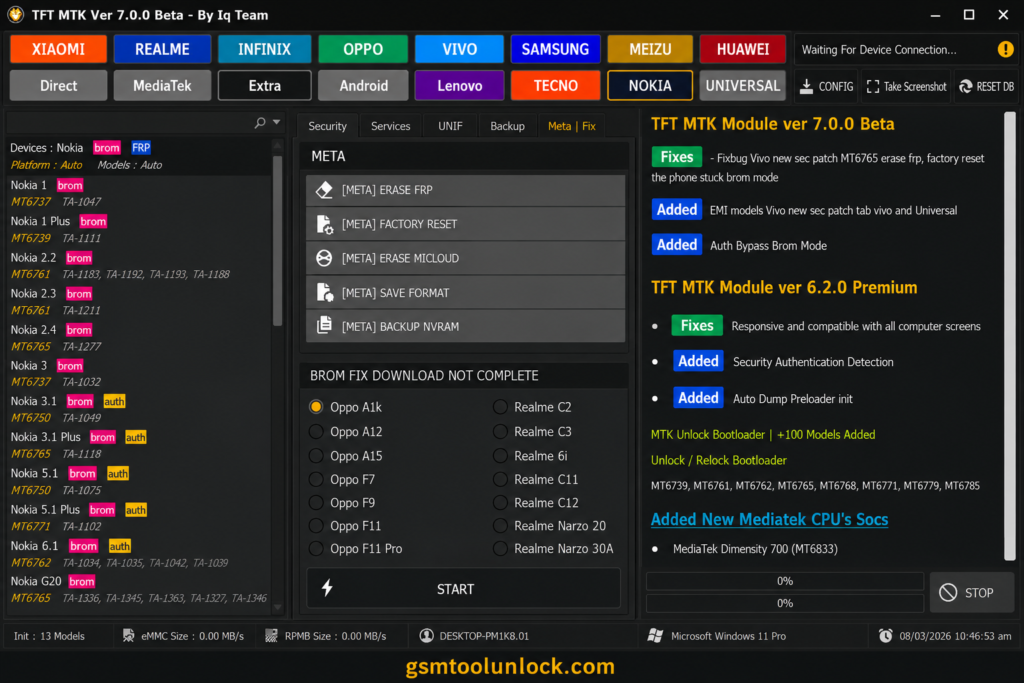
- Select the required section, such as Security, Unif, Backup, or Meta | Fix.
- Verify both the model and selected operation.
- Create a backup before using the utility.
- Start the chosen operation.
- Wait for completion while keeping the USB connection to the device.
Pros And Cons
Pros
- It is easy and user-friendly.
- It provides support for various brands.
- It provides basic device information.
- It provides multiple servicing functions.
- It provides an easy, quick way to perform operations and save time.
Cons
- It provides limited support for devices.
- It requires a driver to perform actions.
- Some features may not be supported for modern Android devices.
- Some functions may cause a data risk.
- Some functions may cause a security restriction.
Conclusion
The TFT MTK module tool is a powerful and useful software. For different MediaTek-powered Android devices, it offers multiple functions and options in a single tool. The tool offers a wide range of features, including firmware flashing, FRP removal, screen lock reset, factory reset, bootloader operation, OA3 bypass, Mi account services, and device backups. The tool comes with a simple, easy-to-use interface and supports a wide range of MTK servicing modes.
FAQ’s
Which devices does TFT MTK Module Tool support?
The tool supports a wide range of mobile brands, including Xiaomi, Realme, Infinix, OPPO, Vivo, Samsung, Meizu, Huawei, Lenovo, Tecno, and Nokia. It supports multiple chipsets, including MediaTek and universal chipsets.
Does the tool support FRP servicing?
Yes, the tool offers features like several FRP-related options, including erasing FRP or erasing FRP new.
Does the tool support MiCloud operations?
Yes, the tool offers MiCloud erasing, MiCloud resetting, and combined MiCloud/FRP operations in different sections.
Can it back up the full flash?
Yes, the tool offers full-flash backup in the Backup section.


One Comment