
CF-Tools Pro V3.2.0 Free Updated Setup (06-12-2025) – (Latest Version)
If you work with Android device repairs, you already know how frustrating locked phones, FRP issues, or corrupted partitions can be. A partition will not read correctly. CF-Tools is a Windows program built to handle this work in one place. It supports Qualcomm, MediaTek, and Unisoc/Spreadtrum chips. It works with Xiaomi, Samsung, OPPO, Vivo, OnePlus, and Realme phones.
What Is CF-Tools V3.2.0?
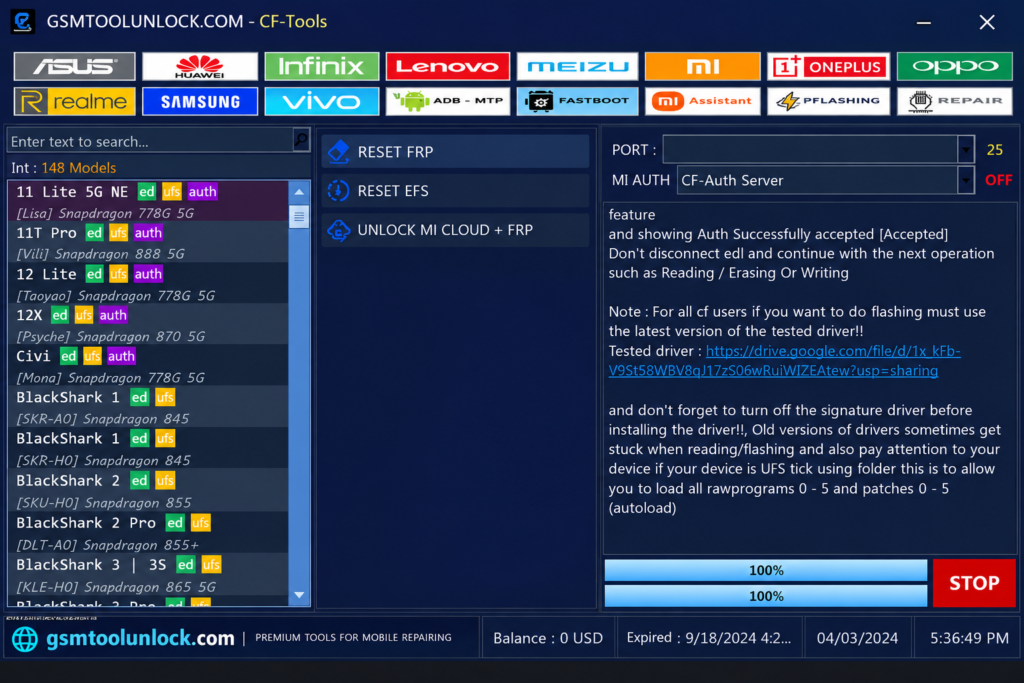
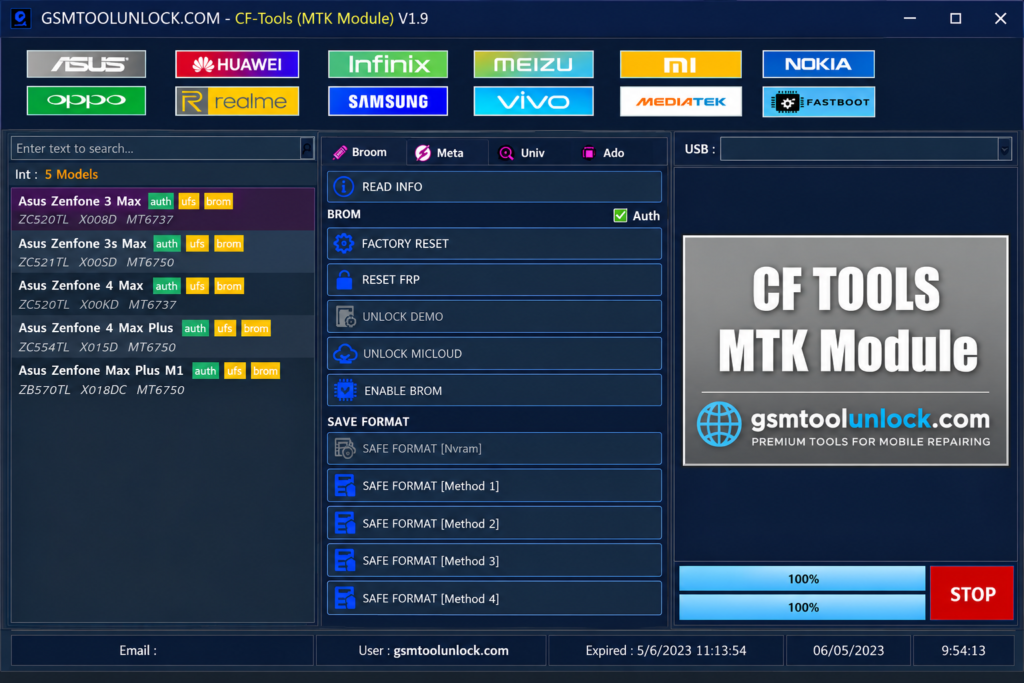
CF-Tools is a professional GSM repair program. GSM technicians use it to unlock, flash, and repair Android software without long manual steps. The V3.2.0 update focuses on new chipset support, wider device compatibility, better stability, and improved partition management. It supports MTK, Qualcomm, and SPD chipsets and provides useful functions such as Stock ROM installation, Fastboot to EDL, Recovery Mode, Bootloader Unlock, Xiaomi Auth, and One-Click Repair
You normally need login details or service credits to use its functions. This is common for professional GSM software, since the makers update it often to match new phone security.
Features of CF-Tools
Flash Firmware
CF-Tools can flash stock firmware on supported devices to bring them back to their original state. This helps with boot loops, software crashes, and failed updates.
FRP Reset
CF-Tools lists FRP reset options for supported devices. Use this only for real owners who forgot their login.
Screen Lock Removal
If a customer forgets their PIN, password, or pattern, this feature helps unlock the screen on supported models.
Mi Account Unlock
Xiaomi phones can be locked to a Mi Account. This feature helps restore full access to the phone on supported Xiaomi, Redmi, and POCO models.
Fastboot, EDL, and Recovery Mode
Fastboot is a mode used before Android starts. EDL is used on Qualcomm phones for deep repair work. CF-Tools can switch a phone from Fastboot to EDL and also works in Recovery Mode, including FRP removal there.
Factory Reset
This option wipes user data and brings the phone back to its default settings. It helps fix many software problems but deletes personal files, so back up first.
EFS and IMEI Repair
EFS stores network settings, including IMEI. IMEI is the unique number that identifies a phone on a mobile network. If this data gets damaged, the phone may lose signal. CF-Tools lists EFS reset and IMEI repair on supported models. Only do IMEI work where your local law allows it.
Vivo-Specific Features
CF-Tools has dedicated Vivo tools, including Fastboot support (called the Vivo AFT feature), Fastboot-to-EDL conversion, Vivo EFS erase, and combined Factory Reset + FRP.
Xiaomi Auth and EFS Reset
The tool lists a one-click function for Xiaomi EFS reset and Mi Cloud unlock with authentication on supported models, including several Redmi and POCO phones.
What’s New in CF-Tools V3.2.0?
- New VIP Auth supported models: OnePlus Nord 5 (CPH2709), Realme GT 6 (RMX3851), Realme GT Neo 6 5G (RMX3852)
- Added support for Snapdragon 8s Gen 3 devices
- Faster flashing and reading speeds
- Better FRP and factory reset performance
- Advanced partition operations
- Improved overall stability
Advantages of CF-Tools
- All-in-One Solution: Flashing, FRP reset, screen unlock, factory reset, and more in one tool.
- Multi-Brand Support: Works with Xiaomi, Samsung, OPPO, Vivo, OnePlus, and Realme.
- Multiple Chipset Support: Covers Qualcomm, MediaTek, and SPD/Unisoc devices.
- Fast Repair Process: One-click functions speed up common jobs.
- Regular Updates: New models and chipsets are added often, based on real repair cases.
- Advanced Repair Features: EFS repair, boot loop fixes, and Xiaomi authorized functions.
CF-Tools Download Information
| Detail | Info |
|---|---|
| Tool Name | CF-Tools |
| Latest Version | V3.2.0 |
| File Size | About 191 MB |
| File Password | May be required, depending on the package |
| Platform | Windows 7, 8, 10, 11 |
| Chipsets | Qualcomm, MediaTek, SPD/Unisoc |
| Access | Login or service credits needed for most functions |
Also Read: Dragon Tool V2.9.0 Free Download Full Setup
How to Download, Install & Use CF-Tools V3.2.0
- Download the setup package from gsmtoolunlock or from a trusted source.
- Extract the ZIP or RAR file.
- Scan the files with your antivirus.
- Install the required USB drivers, such as MTK, Qualcomm, and ADB drivers.
- Run CF-Tools as Administrator.
- Put the phone into the mode you need: Fastboot, EDL, or Recovery.
- Select the phone brand and the function you want, such as FRP Reset, Factory Reset, Flashing, or Partition Manager.
- Click Start and wait for the process to finish before you disconnect the phone.
Pros and Cons
Pros
- Covers flashing, FRP, screen unlock, and more
- Supports Qualcomm, MTK, and SPD chipsets
- One-click functions save time
- Frequent updates for new phones
- Dedicated Vivo and Xiaomi modules
Cons
- Needs login or service credits to use
- Compatibility depends on the model and loader
- Driver issues can cause crashes during backup
- Some models skip full GPT reading
- Advanced features need some technical knowledge
Conclusion
CF-Tools brings flashing, FRP reset, screen unlock, EFS and IMEI repair, MDM removal, and boot loop fixes into one Windows program. It supports Qualcomm, MediaTek, and SPD chips, with regular updates for new phone models like the Realme GT 6 and OnePlus Nord 5. It is a paid tool, so you will need login access or credits for most jobs. Keep your drivers updated, back up before any factory reset, and repair only phones you are allowed to service.
FAQ’s
Does CF-Tools support Windows 11?
Yes. The latest version works on Windows 11, 10, 8, and 7.
Can CF-Tools flash stock ROM?
Yes. It supports flashing official firmware on many supported Android devices across Qualcomm, MediaTek, and SPD chipsets.
Which chipsets does CF-Tools support?
It supports Qualcomm (QCOM), MediaTek (MTK), and Spreadtrum/Unisoc (SPD) devices.
Is CF-Tools free to use?
No, not fully. Basic setup can work offline after installation, but most repair functions need login details or service credits.
Why does CF-Tools crash during reading or backup?
This is often caused by outdated or incompatible USB drivers. Installing a current, tested driver package usually fixes it.
Which new phone models does the latest CF-Tools update support?
V3.2.0 adds VIP Auth support for the OnePlus Nord 5, Realme GT 6, and Realme GT Neo 6 5G, plus support for Snapdragon 8s Gen 3 devices.


One Comment