
TTA EDL Tool V1.0.4 Free Download for PC Latest Version [2026]
TTA EDL Tool is now available for free download in an updated version. It provides users with access to multiple new features, including managing ADB commands, EDL 9008 Firehose loading, Mi Cloud disabling, and resetting the user lock to get access to advanced features. You just need to follow simple and easy steps to get access.
What is a TTA EDL Tool?
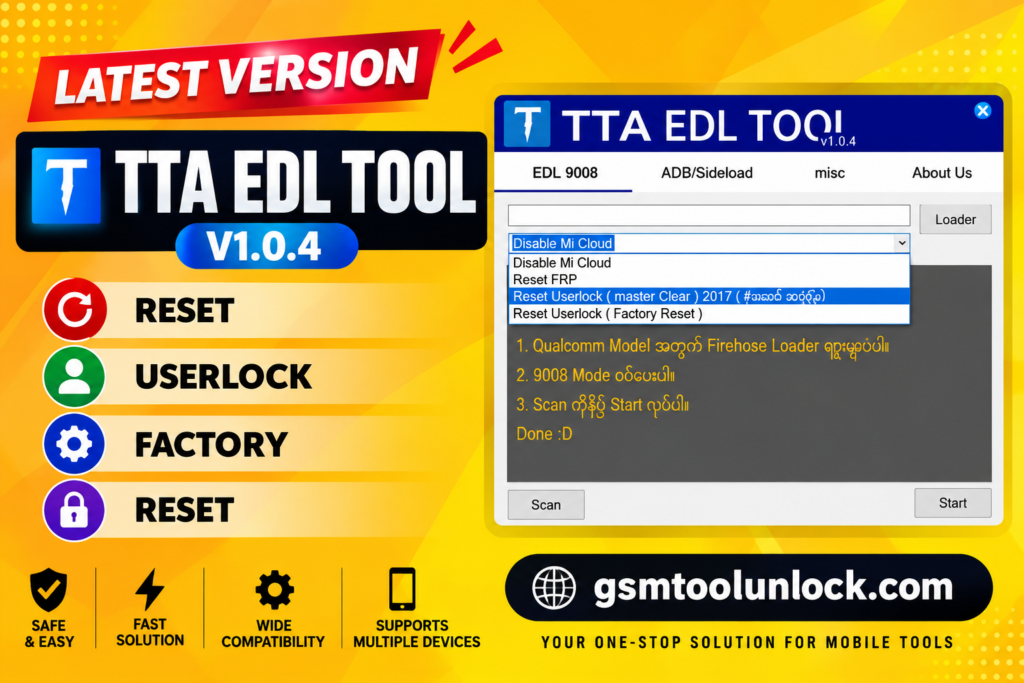
The TTA EDL Tool is created for Xiaomi Devices to help users understand its functions easily. Users can download the latest version of TTA EDL to get access to its advanced features such as Mi Cloud Disabling, resetting user lock, managing ADB commands, and EDL 9008 Firehose loading. However, this device helps the users to get access to simple processes like Disabling Mi Cloud and resetting FRP.
Features of TTA EDL Tool
EDL 9008 – Choose Loader Firehose Manually
EDL 9008 is helpful in performing multiple tasks. For instance, disabling Mi Cloud, resetting FRP, resetting Userlock (master clear) 2017, adding Loader, FRP bypass, and resetting Userlock (Factory Reset).
ADB/Sideload
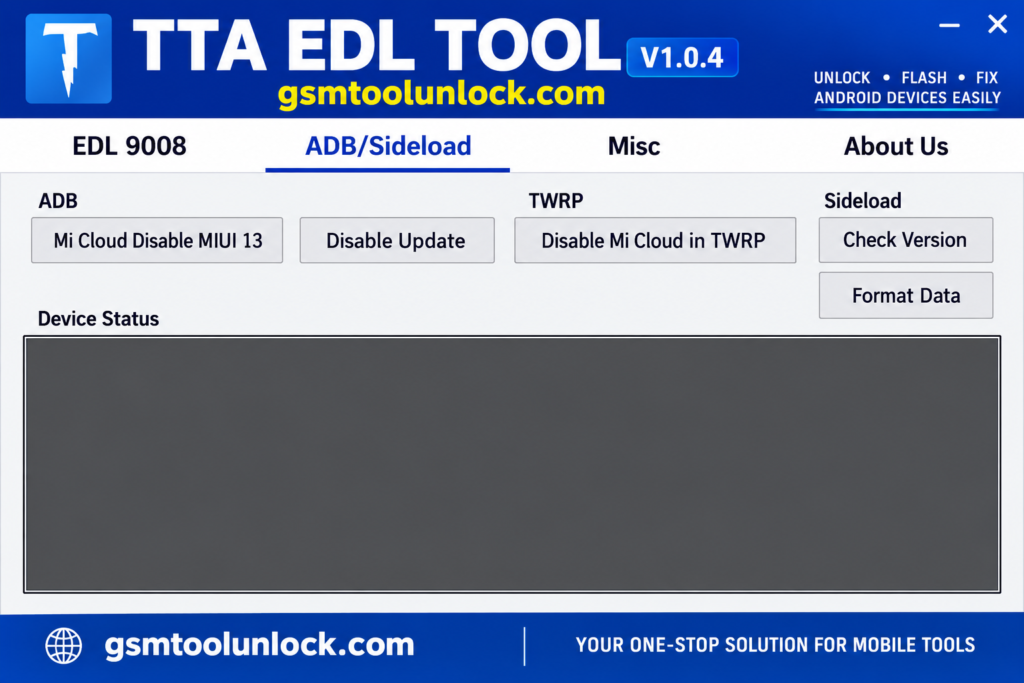
One of the essential features of TTA EDL Tool is ADB. It helps you disable Mi Cloud, MIUI 13, disable updates, and disable Mi Cloud in TWRP. Sideload will help you to check the version and format data.
Misc
Misc is helpful in Fastboot – Check Status, Flash TWRP in Fastboot, Fastboot Old Model – Remove MI Account, and Fastboot- Remove MI Account (Old Model).
FRP Reset
This tool provides an FRP reset option for devices. It is very helpful for users as well as technicians to handle service problems.
User Lock Reset
It gives master clear and reset options for your devices. These options are helpful to resolve multiple problems like user lock and device-access issues.
Mi Cloud Management
It provides options for managing Mi Cloud for Xiaomi devices. It also includes further options for compatible MIUI 13 and TWRP setup.
Fastboot Status Check
You need to check whether your Xiaomi devices are detected in Fastboot mode properly or not. It helps you to identify connections before further operations.
Flash TWRP
The Fastboot section has one more option: flash TWRP. This helps in installing a custom recovery for repair workflows.
Fastboot Old Model
It offers many options for old Xiaomi models. It is specifically designed for specific Mi Accounts, which are helpful for operating system operations on devices.
Download Information
| File name | TTA EDL TOOL V1.0.4 |
| File Size | 50 MB |
| File Password | None |
| Free or Paid | FREE |
| Download Link | MEGA |
How to Download TTA EDL Tool?
Follow these steps to download the TTA EDL Tool:
- Go to gsmtoolunlock.com, the website for the TTA EDL Tool.
- Find the page and link: Find the download page and the download link. Click on the (Download Link).
- Wait: You should wait till the process of download completes.
- Locate the Device: When you are finished with the download, you need to locate the download file on your device.
- Installation Process: To start the installation process, you need to double-click on the file.
How to Use the TTA EDL Tool?
- First of all, you need to download the ZIP file given on this page.
- Then, after downloading, you need to unzip all the files present in the C Drive.
- After unzipping, install the setup with the initial instructions.
- In the next step, you need to run the tool as “TTA EDL Tool”.
- If you have already installed the drives, then skip this step.
- Finally, you can start using this tool.
Pros and Cons
Pros
- It is easy and simple to use.
- It has a feature for manual Firehose loader selection.
- It has multiple options for Xiaomi devices.
- It is free to use.
- It also supports ADB, Sideload, and fastboot modes
Cons
- A few features are only available for some devices
- It requires a specific loader for performing EDL operations.
- Its results vary by model and software.
- It requires a Windows PC for performing operations.
- Its main focus is on Xiaomi and Qualcomm-supported devices.
Conclusion
TTA EDL TOOL is an essential tool for Xiaomi devices. Its latest version is now available for free. It offers many new features like managing ADB commands, EDL 9008 Firehose loading, Mi Cloud disabling, and resetting user lock. It helps you to do tasks such as checking device stats, updates, managing a device, and fastboot methods. Overall, TTA EDL Tool is very helpful in the management of Mi devices.
FAQ’s
Is TTA EDL Tool V1.0.4 compatible with Windows?
Yes, TTA EDL Tool is compatible with Windows. Required Drivers and Dependencies must be installed before using the tool.
Is TTA EDL Tool V1.0.4 free to use?
Yes, it’s free software. However, it requires related drivers, compatible files, and supported devices to function correctly.
Which devices does TTA EDL Tool V1.0.4 support?
The tool primarily focuses on Xiaomi Devices that support Qualcomm Platforms. Support can differ based on Chipset, Device model, and software version.
Does TTA EDL Tool V1.0.4 support EDL 9008 mode?
Yes, the tool supports EDL 9008 functionally, while Firehose and loader files are allowed to be selected manually. For a specific supported device, you’ll need the correct loader file.
Does TTA EDL Tool V1.0.4 require drivers?
Yes, before connecting the phone, the required drivers must be installed on Windows. Supported drivers help the tools to work efficiently.