
Drt Device Reset Tools Oppo Free Remove Pattern & Frp Tool [2026]
DRT – Device Reset Tool for Oppo is now available for free for Windows computers. It provides users with a facility to remove user lock and FRP from recent devices, which was previously a page loader. This device is easy to use; no manual procedure is required. You just need to select the Model number and switch the device into EDL mode. Now click “Start”.
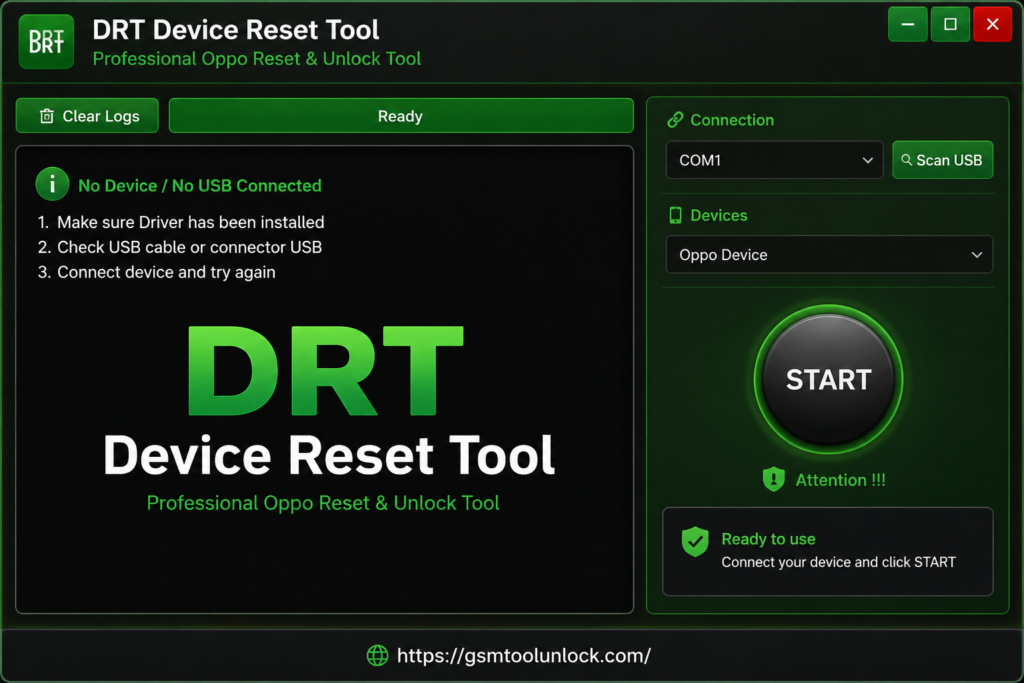
What is DRT Device Reset Tools?
DRT device is designed to help OPPO users. It helps users erase the pattern and reset smartphones. It is also essential for removing The Stock Firmware on Oppo Smartphones. It provides a comfortable way for users to work with EDL Mode. This tool is valid on both 32-bit and 64-bit systems and is also supported on Windows 7-11. This is very helpful for making the repair process easy to use.
Features of DRT Device Reset Tools
Free Version
The most essential feature of DRT Device Reset Tools is that it is available for free for users to support Oppo Qualcomm devices. There is no need for a paid license to run it on Windows.
Oppo Qualcomm Support
This tool is designed for Oppo smartphones powered by Qualcomm chipsets. Keeping in mind compatible device models, it provides its services.
EDL Mode Support
As this device tool is designed for Oppo users, it works with Oppo devices in EDL mode. It provides an opportunity for software to communicate with other devices while performing service operations.
FRP Removal
One of the most important functions of the DRT Tool is FRP removal for Oppo Qualcomm device users. It helps when a device gets locked after a factory reset.
User Lock Removal
DRT Device Tool is essential for removing User Lock from Oppo Qualcomm phones. This is very helpful for technicians as it provides simple opening options for locked devices.
Factory Reset
DRT Device Tool is also usable to remove Factory Reset from Oppo Qualcomm devices. It removes unnecessary data and moves the phone to its reset state.
Model Selection
DRT Device Tool gives you a chance to select a supported device model before starting any operation. This is also helpful for the selection of correct option according to the phone.
Simple Interface
DRT provides an easy-to-understand and user-friendly interface. Without complicated and hard menus, users can select the required model.
Download Information
| File Version | Latest 2026 |
| File size | 3.5 MB |
| File Password | None |
Also check: Alriqi Soft Tools V2 Latest Version Free Download
How to Install DRT Device Reset Tools?
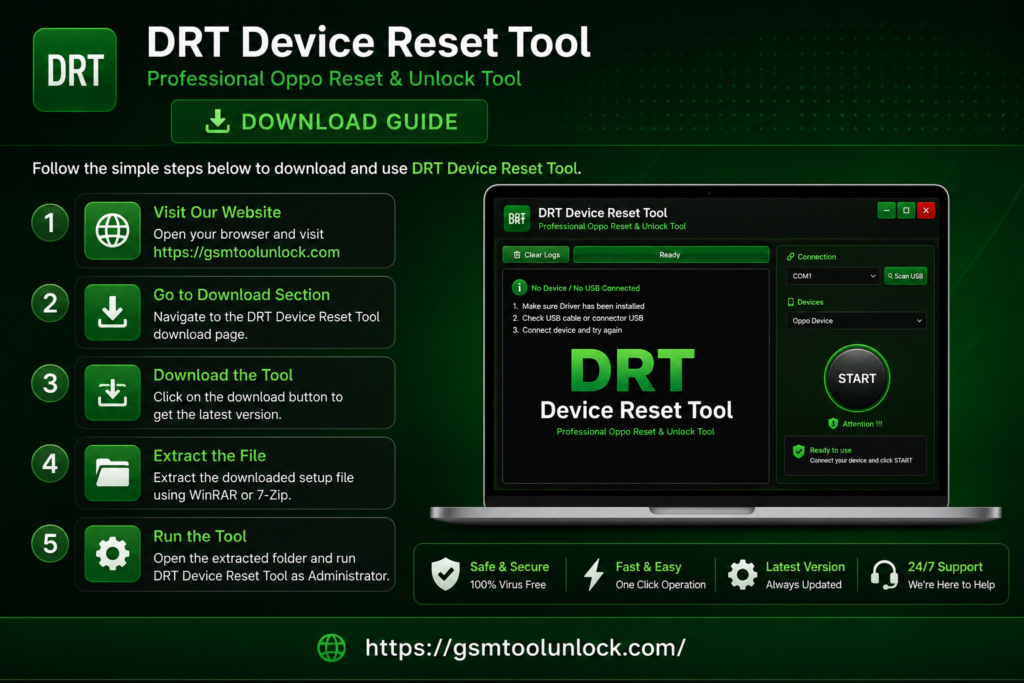
- Download the DRT Device Reset Tools from the given link.
- Extract the ZIP file to a suitable location.
- Install all the files required for setup.
- You can use a USB drive if it is not already available.
- Now, open the DRT Device Reset Tools folder.
- In the next step, you are required to run the tool as an administrator.
- Connect the supported Oppo device using a USB cable.
Pros & Cons
Pros
- The device is designed for certain Oppo Qualcomm devices.
- It offers multiple options for Oppo models
- It offers a variety of reset- related functions.
- Simple interface
- Multiple FRP-related servicing options and patterns are available.
Cons
- Limited access to supported models
- USB devices and other portable devices may be needed
- Some operations can erase users’ necessary data
- For performing advanced operations, knowledge about the tool will be needed
- It may require USB drivers
Conclusions
DRT-Device Tool is designed for Oppo Qualcomm devices. It offers many features to its users, such as FRP removal, user lock removal, pattern unlock, factory reset, and EDL mode support. It helps with issues related to device locks. The min advantage of this tool is that it provides a user-friendly interface for beginners and experienced users to facilitate immediate help. You can download and start working with it.
FAQ’s
Which Oppo models can be used?
The most frequently used Oppo models are A53, A74, A95, A76, F19, Reno 6, and Reno 7.
Is DRT helpful and usable for Qualcomm devices?
Yes. The device is designed especially for Qualcomm devices.
Is DRT helpful in resetting Oppo Phones?
Yes. One of the essential features of DRT-Device Tool is resetting, but the most important point to notice is that it can remove the user’s data.
Is DRT supportable and helpful for FRP-related servicing?
Yes. This is true. DRT tool is helpful for FRP-related servicing. Use it only on your own devices or on devices that are approved for repair.
Are DRT Device Tools compatible with all Oppo phones?
No. DRT-Device Tool is only suitable for the above-mentioned listed models.

One Comment