
SamXTool V1.0.0 Latest Version – Free Download for Samsung FRP & Features
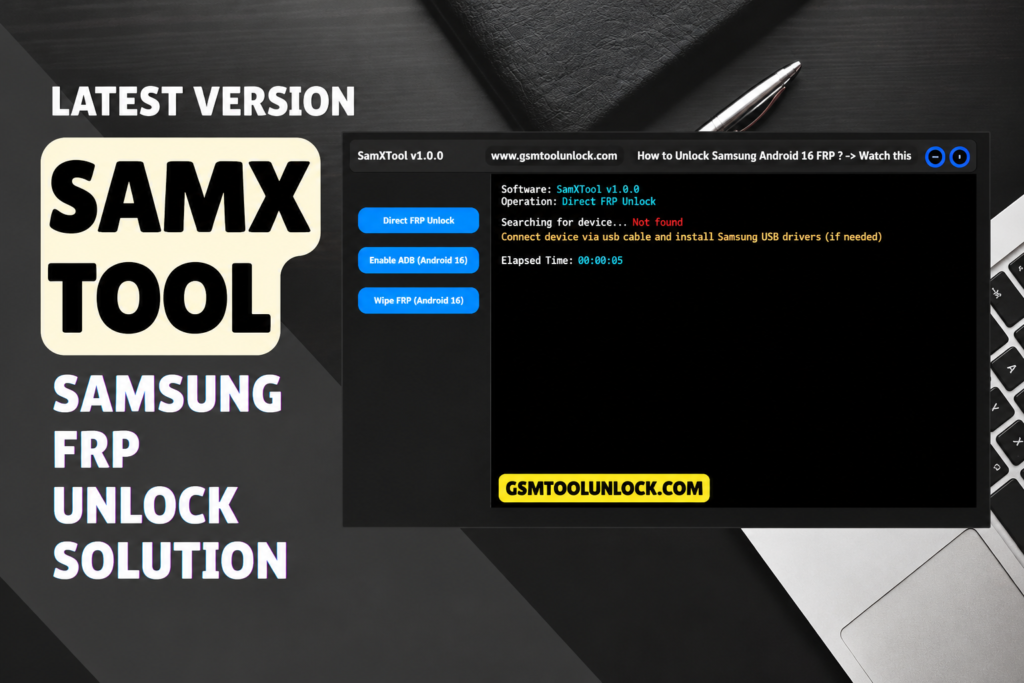
A Samsung phone gets stuck on the FRP lock after a factory reset. The owner forgot the old Google account. You try random tricks, but nothing works the same way twice. This is a daily problem for repair shops. SamXTool is a small Windows program made to handle this job on Samsung phones. It offers Direct FRP Unlock, Enable ADB (Android 16), and Wipe FRP (Android 16) on one simple screen.
What Is SamXTool?
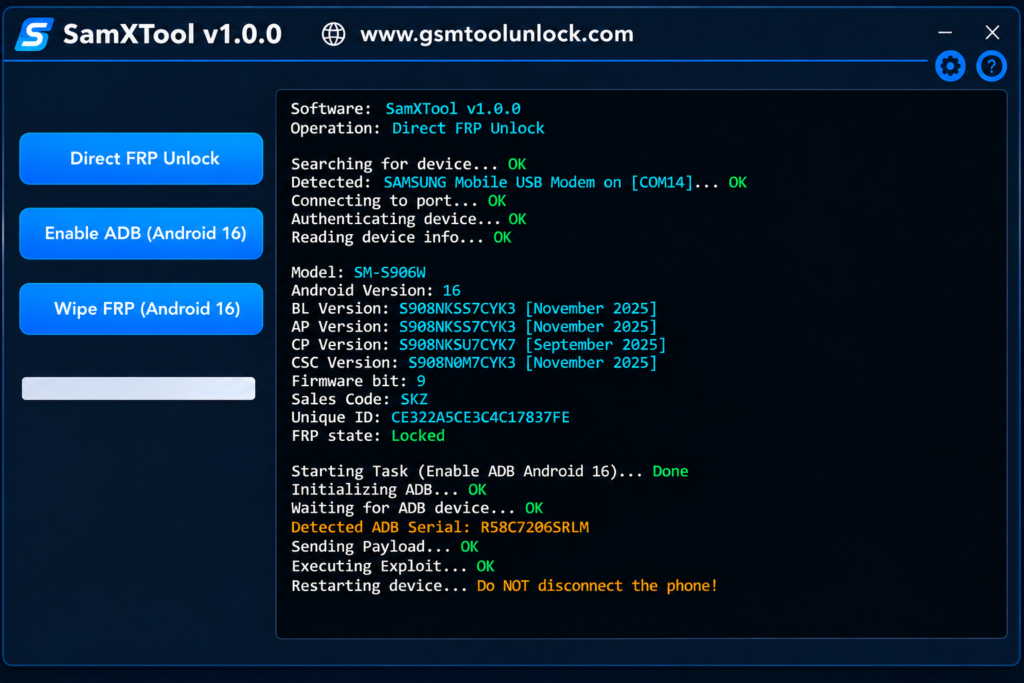
SamXTool is a Windows utility for Samsung phone servicing. Technicians choose a job, connect the phone with a USB cable, and watch the on-screen log to see what is happening. Samsung phones come to repair counters all the time. Google also added Factory Reset Protection in Android 5.1 in 2015. It also locks out real owners’ mobiles who forget their login.
SamXTool works in steps. You try a quick unlock first. Then you try an ADB-based method. You use a full wipe last. This order helps lower the risk of losing customer data. Results depend on the phone model, the software version, and the security patch. Use SamXTool only on phones you own or have permission to repair.
Features of SamXTool
Direct FRP Unlock
This is the fastest option. It tries to remove the Google (FRP) lock on supported Samsung phones with very few steps. Start here first because it is the lightest method.
Enable ADB (Android 16)
ADB lets your computer talk to the phone. This feature tries to turn on ADB on supported Samsung phones running Android 16. Samsung’s One UI 8 is built on Android 16. ADB opens a middle path between a quick unlock and a full wipe.
Wipe FRP (Android 16)
This option clears FRP-related data on supported Android 16 devices. It is the last step. It can erase user data, so use it only when softer methods fail, and the owner agrees.
Samsung FRP Removal
SamXTool is built mainly for Samsung FRP cases. Which options work depends on the phone’s software version and security patch.
Flashing and Firmware
Firmware is the main software inside the phone. Flashing means installing a fresh copy. Samsung phones use Download Mode, also called Odin mode, for this job. Always match the firmware to the exact model number before you flash.
IMEI and Network Repair
IMEI is the unique number that identifies a phone on a mobile network. Some servicing tools can restore damaged network data such as NVRAM or EFS. Do this only where your local law allows and only with real device information.
MDM Removal
Companies use it to control work phones. Remove MDM only when the device owner or the company gives permission.
Factory Reset and Data Wipe
A factory reset brings a phone back to its clean starting state. It deletes personal files. Back up first if you can.
SamXTool Setup Download Information
| Detail | Info |
|---|---|
| Tool Name | SamXTool |
| Version | V1.0.0 |
| File Size | 20.31 MB |
| File Password | None |
| Platform | Windows |
| Main Use | Samsung FRP servicing |
Also read: Safina Pro Tool V2026 Latest Version
How to Download and Install SamXTool
- Visit a trusted source that offers the SamXTool download.
- Check the latest version and its compatibility notes.
- Download the ZIP or setup file.
- Extract the file into its own folder.
- Scan the files with your antivirus before you open them.
- Install the Samsung USB drivers if your PC does not have them.
- Right-click SamXTool.exe and choose Run as administrator.
- Connect the Samsung phone with a good USB cable.
- Check that the PC detects the phone.
- Choose the right option and wait until the log shows it is done.
Pros and Cons
Pros
- Easy to understand
- Direct FRP Unlock option
- Enable ADB and Wipe FRP included
- Small download size
- Many FRP options in one tool
Cons
- Works only on Windows
- Android 16 features may not work on every model
- Verified device list is limited
- Wrong steps can cause data loss
- Antivirus may flag the file
Conclusion
SamXTool turns messy Samsung FRP cases into a clear set of choices. Direct FRP Unlock, Enable ADB (Android 16), and Wipe FRP (Android 16) cover many common jobs at the repair counter. The interface is easy for beginners. Still, no button can replace good judgment. Read the logs, use the lightest method first, respect customer data, and service only phones you are allowed to repair.
FAQ’s
Is SamXTool free to download?
Some sources list SamXTool as a free download. Others say some features may need activation. Check the current terms on the download page.
Is SamXTool safe to use?
The tool is only as safe as the file you download. Get it from a trusted source, scan it with antivirus, use proper drivers, and get the owner’s permission before you start.
Should I try Direct FRP Unlock or Wipe FRP first?
Start with Direct FRP Unlock. It is quicker and gentler. Use Wipe FRP (Android 16) only when softer methods fail and the owner accepts a possible data loss.
What does Enable ADB (Android 16) do in SamXTool?
It tries to open ADB access on supported Android 16 Samsung phones. That lets the PC send extra commands for servicing.
Does SamXTool work on Windows 11?
SamXTool is built for Windows, and the sources list Windows 10 and 11 as recommended. Test it on your PC and check the notes for your version.
Why is my Samsung phone not detected by SamXTool?
The most common causes are missing USB drivers, a bad cable, a faulty USB port, or the wrong connection mode. Try another cable and port, then reinstall the Samsung driver.
Does SamXTool erase my data during FRP removal?
Not every method does. Direct FRP Unlock is light. Deeper steps like Wipe FRP (Android 16) may erase data. Always back up and explain the risk first.

One Comment