
3uTools V9.12 Full Setup Download for PC/Laptop (2027)
Do you want to see your iPhone’s battery health, storage, and iOS version on a big screen? Do you need to back up photos, move files, or install a fresh iOS version? Many people use iTunes for this, but it can feel slow and hard. 3uTools is a free iOS management program that does these jobs in one simple window. This tool allows you to flash firmware or update firmware on iOS, iPad, Mac, and iPod. It offers an alternative to iTunes, so it can perform many functions straightforwardly.
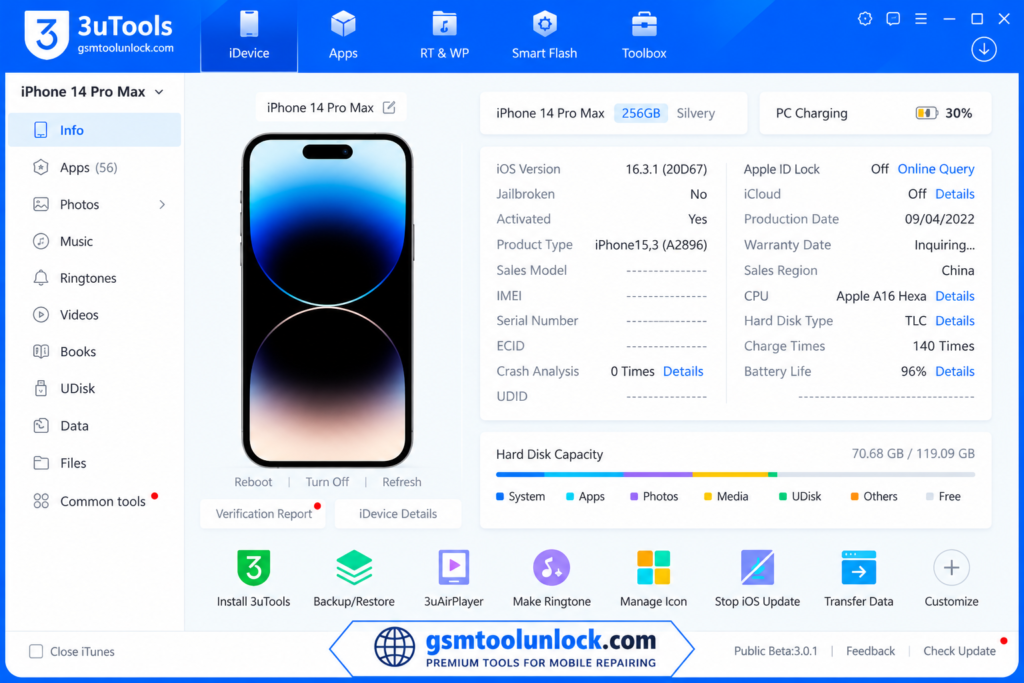
What Is 3uTools?
3uTools is an all-in-one tool for managing Apple devices from a computer. You can check device details, move files, make backups, flash firmware, and customize your device. It is a good iTunes alternative for many users. According to Free Codecs, it does not ask for an Apple ID to do these tasks. It can show the performance of the device, firmware version, battery condition, and storage. The best part of this tool is that it updates in a timely manner, and this tool has a full package for apps, wallpaper, ringtones, games, and other entertainment apps.
Features of 3uTools
Device Information
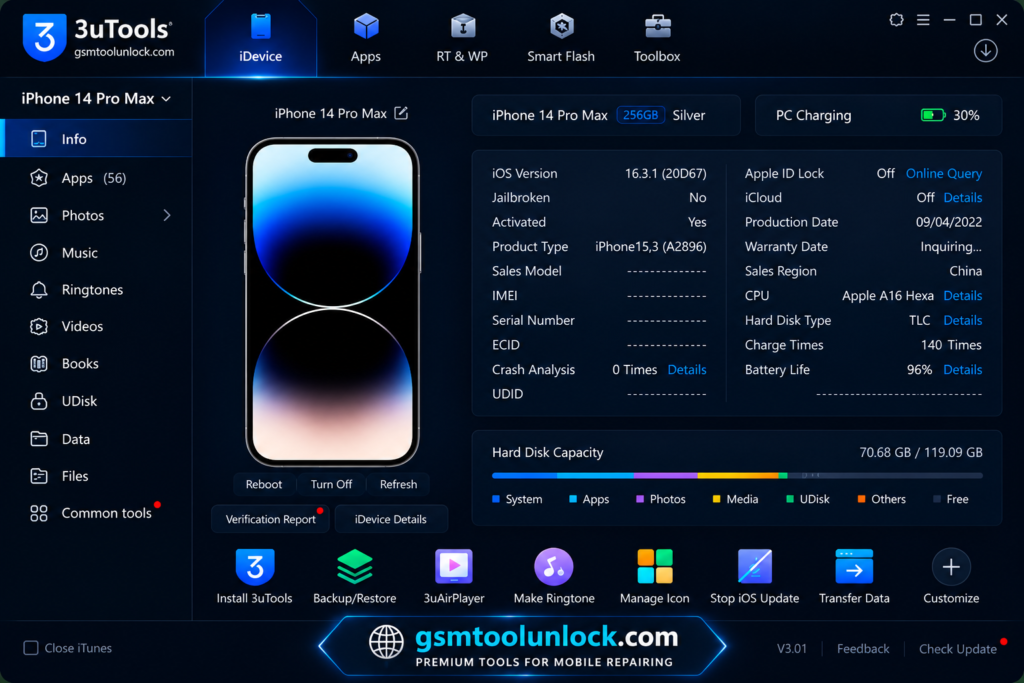
The tool shows your iOS version, storage use, battery cycles, and the UDID. UDID is the unique ID of your Apple device. It also shows the model and serial number. This helps buyers check a used iPhone.
Device Management
You can manage apps, photos, videos, music, and contacts from your PC. You can move, delete, or export files in a few clicks.
Flash and Jailbreak
The tool checks firmware before it installs it. It can find matching firmware for your device and show SHSH information. SHSH is a signing file that Apple uses to approve an iOS version. Apple only signs the newest iOS versions for a short time. That is why you often cannot go back to an older version.
iDevice Backup and Restore
3uTools can back up photos, videos, music, and app data. The backup is saved on your PC, not in iCloud. You can restore it later if you need to.
File System Access
You can open the phone’s files and move them over USB. You do not need another app to move photos or camera files.
App Installation
You can install and remove apps from your PC. Be careful with apps from unknown sources, because they can harm your phone and your privacy.
Ringtone Maker
Pick an audio file, cut the part you like, and make it a ringtone. This is a fun feature for everyday users.
Battery Health Monitoring
You can see battery health and how many charge cycles your phone has used. Shoppers like this feature when they buy a second-hand iPhone.
Screen Recording
You can record your iPhone or iPad screen to your PC. This helps with guides and demos.
3uAirPlayer
3uAirPlayer is a free add-on app from the same team. It mirrors your iPhone or iPad screen to a Windows PC over Wi-Fi. It is useful for meetings, classes, and gaming. The Windows version is V6.0.7.
What’s New in 3uTools V9.12?
Recent updates of 3uTools include:
- A new and cleaner user interface
- A mobile app for iPhone and iPad
- Install apps and games without a PC (supported regions only)
- Upload and manage photos from the mobile app
- A better Face ID dialog
- Faster online resources and bug fixes
3uTools Download Information
| Detail | Info |
|---|---|
| Tool Name | 3uTools |
| Latest Windows Version | V9.12 (9.12.005) |
| File Size | About 194 MB |
| File Password | None needed |
| Platforms | Windows, macOS, Linux, plus iOS mobile app |
| Older Version | V3.30 for older PCs |
Also read: BMB Tool Pro V7.0 Free Setup download [2027]
System Requirements
| Requirement | Details |
|---|---|
| Operating System | Windows 10 or 11 (64-bit) is recommended. A 32-bit build is also offered |
| Storage | Around 500 MB free space |
| USB | Working USB port and an Apple USB cable |
| Device | iPhone, iPad, or iPod touch |
| Internet | Needed for firmware and app downloads |
How to Download 3uTools V9.12
Always download from the official website, 3u.com. This is safer than random sites.
- Download the latest 3uTools installation package on your PC from the trusted website.
- Pick Windows and choose the 64-bit or 32-bit version for your PC.
- Open the downloaded setup file.
- Click Yes if Windows asks for permission.
- Click Install and wait.
- Click Launch to open 3uTools.
- Connect your iPhone with a USB cable and tap Trust on the phone.
Pros And Cons
Pros:
- Comprehensive file management for iPhone and iPad devices
- Backup and restore data with selective options
- Monitor device health with detailed information and metrics
- Customize devices with ringtones, wallpapers, and themes
- Easy management of apps, photos, music, and videos
Cons:
- Available only for Windows, with no macOS or Android support
- Jailbreak and app installation features depend on the iOS version and device model
- Some functions are less seamless compared to official Apple services
- Limited cross-platform compatibility
Conclusion
3uTools is a simple way to manage your iPhone, iPad, or iPod from a PC. You can read device info, back up data, move files, flash firmware, and mirror your screen. It is free and easy for beginners. But some features, like jailbreaking and flashing, carry risks. Back up your data first, download only from the official site, and use the tool only on devices you own.
FAQ’s
1. Is 3uTools safe to use?
It is safe when you download it from the official website and scan the file. Avoid copies from unknown sites, because they may hide bad software.
2. Which devices work with 3uTools?
It works with iPhone, iPad, and iPod touch. You run 3uTools on a computer, not on the phone itself. Support for very new iOS versions can take a short time.
3. Can 3uTools back up my data?
Yes. It can back up photos, videos, music, contacts, and app data to your PC. This works like iTunes, but the backup stays on your computer.
4. What is 3uAirPlayer?
It is a free app that mirrors your iPhone or iPad screen to a Windows PC over Wi-Fi. It helps with meetings, classes, and games.
5. Which iOS firmware can 3uTools flash?
It can find firmware that matches your device and show SHSH information. But Apple only signs new iOS versions, so most older versions cannot be installed.
6. Is 3uTools free, and does it need an Apple ID?
It is free, and it does not ask for an Apple ID to run. But it cannot remove Activation Lock. Only the owner of the Apple ID can do that. Apple added Activation Lock in iOS 7 in 2013 to protect lost or stolen phones.
7. Does 3uTools work on Mac, Linux, or Android?
It has versions for Windows, macOS, and Linux, plus an iOS mobile app. It does not manage Android phones.




One Comment