
QFIL Tool v2.0.3.5 for Windows – Qualcomm Flash Tool Modified.rar
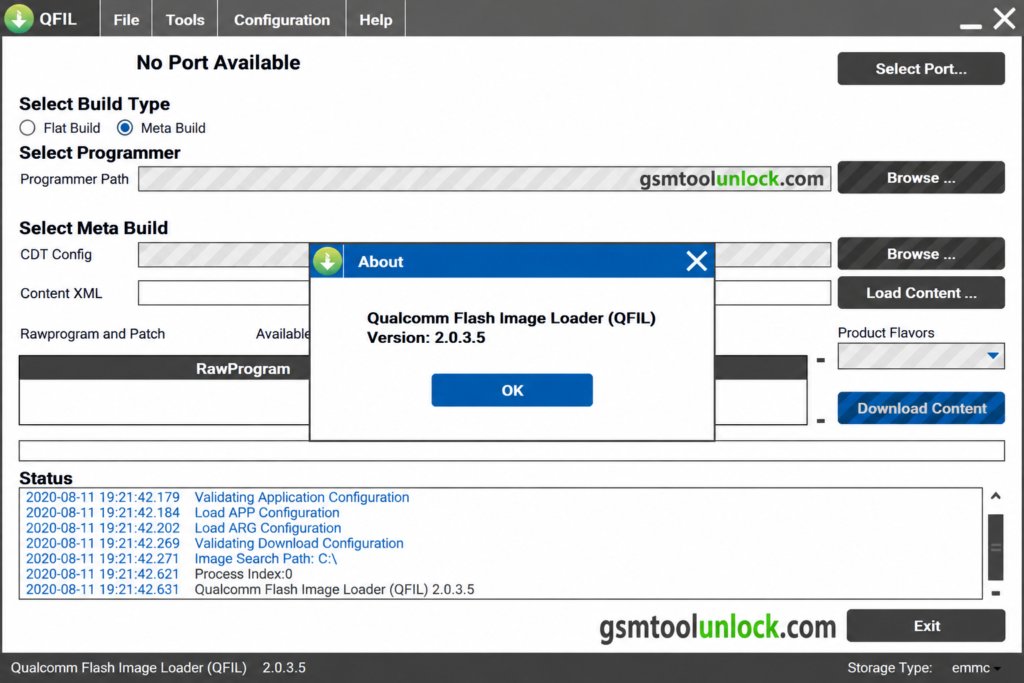
The QFIL Tool, or Qualcomm Flash Image Loader, is designed to provide help to users to install firmware or recovery images on devices supported by Qualcomm. It is a Windows-based utility that provides help to devices supported by Qualcomm, like smartphones, tablets, and modems.
What is the QFIL Tool?
QFIL Tool, or Qualcomm Tool, is a Windows-based software designed for Qualcomm chipsets to flash firmware on smartphones or tablets, etc. It provides help to repair devices stuck on the logo or with corrupted software, or when reinstallation is needed. It is helpful to install software on a mobile phone when the device has any problem with software.
Key Features of QFIL Tool
Unbricking devices
This tool provides a facility for devices to get bricked, which may happen due to errors in software, failed updates, or any sort of flaw in ROM installation. It provides help to restore functionality.
Flashing Stock Firmware
QFIL Tool, or Qualcomm tool, is useful to flash firmware, either official or stock, on devices powered by Qualcomm. It is used to help in downgrading, upgrading, or reinstalling the operating system
Log Box
Qualcomm tool supplies a log box to show the current conditions, such as the current process and real-time tasks, etc. It helps the user to monitor and understand the flashing process.
Loader Package
QFIL Tool or Qualcomm tool provides a built-in loader package, which is helpful if the user does not have one already.
Support for Qualcomm
QFIL Tool or Qualcomm tool is made for Qualcomm devices. It provides a wide range of support for various devices run by Qualcomm chipsets.
Multiple Download Types
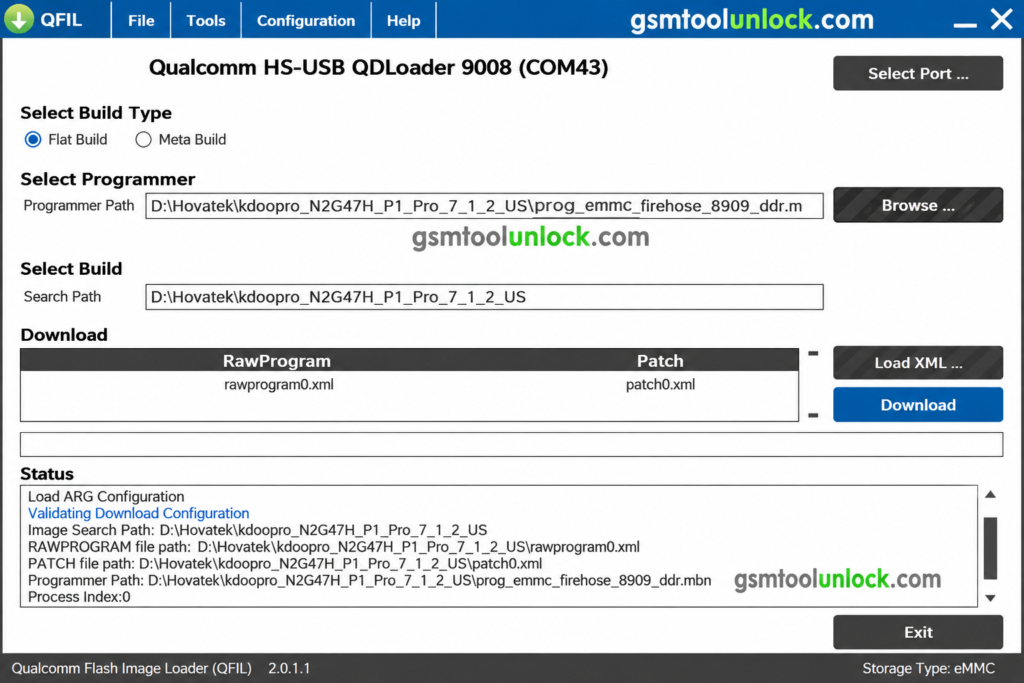
This tool can provide multiple options for the user to select according to the distinct download types, which include “Flat build” or “Meta build,” etc.
Download Information
| File Name | Qualcomm_Flash_Image_Loader_v2.0.3.5.zip |
| Developer | Qualcomm Technologies, Inc |
| File size | 5.43 MB |
| Version | 2.0.3.5 |
| File Type | QFIL Tool v2.0.3.5 |
Also check: Android Utility Tool V200.01 ZIP Download Updated For All Mobile 2026
How to Download?
- Firstly, the user can download this tool by clicking on GSM Tool Unlock.
- Secondly, click on the download button.
- In the next step, wait until the tool is downloaded.
- Remove the file from the ZIP if it is saved in a ZIP.
- Your tool is ready to use.
Pros & Cons
Pros
- It is available free of cost.
- It is simple and user-friendly to use.
- It provides immediate flashing.
- It provides help to technicians to use it on a PC.
- It is helpful to sort out software-related problems.
Cons
- It is limited to Qualcomm devices only.
- It needs Windows to run the software.
- Some operations can cause data loss.
- Incorrect use of firmware can bring software issues.
- Inappropriate portable devices may harm the process.
Conclusion:
The Tool is a useful software for firmware flashing on Qualcomm-supported Android devices. It’s an easy-to-use tool designed for both beginner and professional users. However, we recommend installing drivers before using the tool for proper operation.
FAQ’s
What are the major platforms on which the QFIL Tool can be used?
QFIL Tool works on almost all Windows operating systems, including older XP and the latest Windows 11 operating systems.
How often is the QFIL Tool updated?
Occasionally, QFIL Tool is updated to the latest version, v2.0.3.5. We suggest checking periodically for updates.
Does the tool come with built-in drivers?
No, the tool doesn’t come with built-in drivers. Installing the Qualcomm Flash Back driver is recommended for smooth operation of the tool.
Is the QFIL Tool secure and reliable to use?
The QFIL Tool is widely regarded as a safe and dependable tool. Developed and maintained by Qualcomm, a well-respected company with a strong history of security, users can trust its integrity.




One Comment