
HalabTech Tool v1.1 Free Download for MTK & Qualcomm [2026]
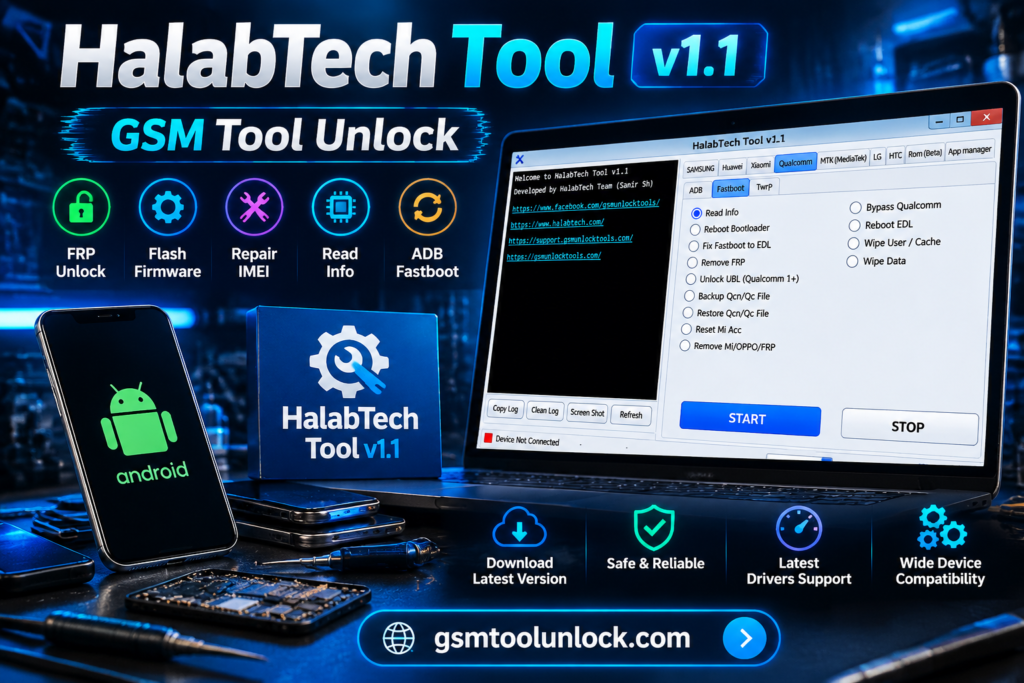
HalabTech Tool is designed specifically for Android devices, providing a platform for servicing and repair. It is especially helpful for advanced users and mobile technicians. It provides help with unlocking Android devices, troubleshooting, and flashing. This Android tool needs Windows to run and requires USB driver installation.
What is HalabTech Tool?
HalabTech Android Tool is used to remove FRP locks. It also helps fix software-related problems, such as resetting or repairing the phone’s settings. It is designed to support different Android brands, including Samsung, Xiaomi, Huawei, Oppo, Realme, Vivo, and Infinix.
Features of HalabTech Tool
FRP Bypass & Removal
The main feature of HalabTech Tool is its Factory Reset Protection removal option. It is helpful for removing multiple major brands.
Screen Lock & MDM Reset
HalabTech Tool helps remove patterns, PINs, and passwords. It is also helpful for resetting Mobile Device Management.
Firmware Flashing
HalabTech Tool supports firmware flashing. It is also helpful for software issues. It also supports other platforms.
Multi-Chipset Operations
HalabTech Tool supports various Android chipsets and models. It includes Qualcomm and MediaTek, etc.
Advanced Device Management
HalabTech Tool monitors and manages Android devices. It helps you perform tasks such as maintenance, repair, and reset.
Download Information
| File name | Halabtech Tool update v1.1 |
| File Size | 273 MB |
| Features | FRP Bypass, bootloader, unlock |
Also check: MOTO FRP Tool Download Setup for Windows (Latest)
How to Download?
- You are required to visit GSM Tool Unlock.
- Second, find the download option.
- Click on the download button to download the setup.
- If your downloaded file is a ZIP, you should extract it first.
- After installation, your tool application is ready to use.
Pros & Cons
Pros
- It is supportive of multiple chipsets.
- It provides support for performing FRP functions.
- It is helpful in performing software repair tasks.
- It is helpful for users and technicians.
- It is supportive for various Android models.
Cons
- It is not suitable for every mobile phone device.
- A few operations cannot be performed without any prior knowledge.
- It needs a proper driver for device detection.
- Some operations may cause a risk of losing data.
- Some of its functions may not be helpful or usable for beginners.
Conclusion
Halab Tech Tool is a good option for repairing Android devices, such as firmware flashing or rooting. It’s an easy-to-use way to bypass a Google account and unlock a forgotten screen password.
FAQ’s
How to free download and install the HalabTech Tool?
The tool can easily be downloaded through gsmtoosunlock.com. Once the file is downloaded, you can extract the .rar or .zip file and follow the installation process. Always install the supported drivers and antivirus software for the tool to function correctly.
Is the tool safe to use?
It is a safe tool when used properly. However, some features may have issues or errors if you don’t use them correctly. We recommend following the instructions and backing up your data.
Can I use the software on my phone?
Yes, the tool supports multiple Android devices like Samsung, OPPO, Tecno, Huawei, Xiaomi, and more. Just simply install the software on your computer, pair the device, choose the FRP lock removal option, and follow the instructions.
Is there an alternative tool for Android unlocking?
Yes! Android Unlocker is a good option for unlocking Android devices. It offers functions like unlocking passwords, patterns, PINs, face IDs, and FRP locks, covering almost all Android devices.
Can it unlock bootloaders?
It provides bootloader unlock and relock functions for selected compatible devices.
Can HalabTech Tool v1.1.6 remove FRP locks?
Yes, HalabTech Tool v1.1.6 offers updated FRP removal features and supports Samsung, Huawei, and many other Android devices.


One Comment