
TFT Unlock Tool v6.2 Free Download Setup Latest Version [2027]
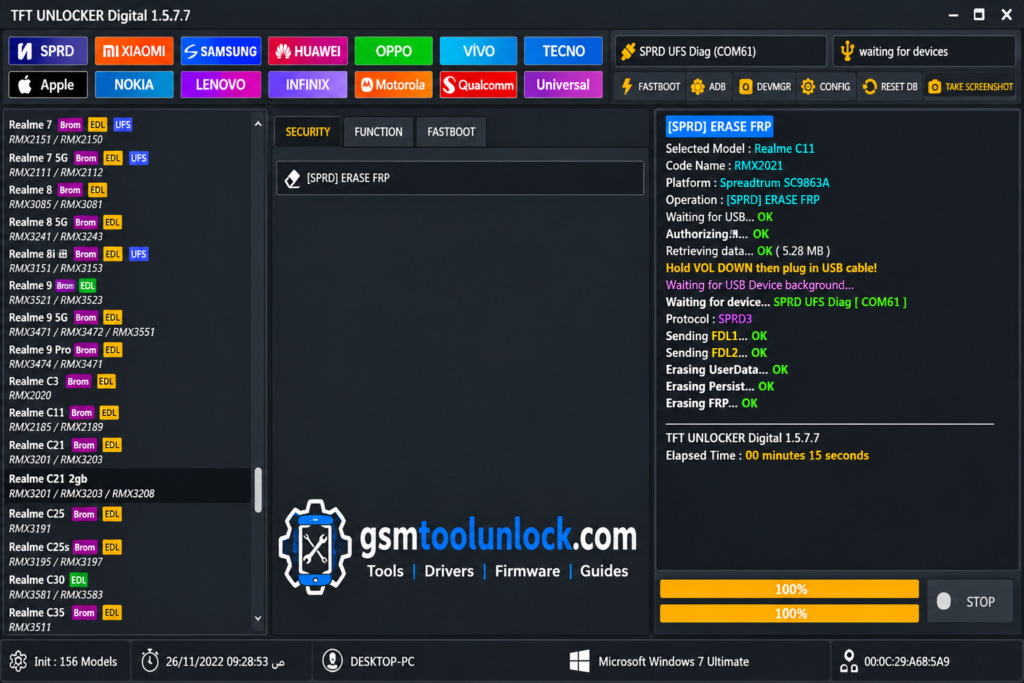
TFT Unlock Tool v6.2 is helpful for repairing Android devices. It is designed for servicing mobile devices, diagnostics, and other repair-based operations. The tool’s 2026 version offers you multiple features such as fast performance and better device compatibility. It also provides different tools for firmware-related tasks, troubleshooting, servicing workflow, and device detection.
What is TFT Tool v6.2?
TFT Unlock Tool is designed for unlocking and repairing Android devices. It is helpful for technicians and advanced Android users to perform a variety of tasks, for example, screen lock removal, device repair, flashing, FRP bypass, and pattern unlock. It provides support for many Android devices.
Key Features of TFT Unlock Tool v6.2
FRP Bypass
TFT Tool helps the user to erase Google Factory Reset Protection. It allows the user to apply this feature on multiple Android devices.
Screen Lock Removal
TFT Tool also helps the user to solve problems related to screen lock. It allows the user to remove PIN, password, pattern, or fingerprint lock by following a simple procedure.
Flashing Support
TFT Tool provides the user with a facility to flash firmware to fix issues related to software. Software issues include system errors, boot loops, and a stuck logo.
Wide Device Compatibility
TFT Tool offers a function of compatibility with a wide range of devices such as Samsung, Vivo, Xiaomi, Huawei, Oppo, Realme, Infinix, and Tecno.
User-Friendly Interface
TFT Tool is very simple and easy to use. It is suitable for both beginners and professional technicians.
Regular Updates
TFT Tool developers release updates regularly. These updates provide support for Android devices.
Download Information
| File name | TFT Unlock Tool 2026 |
| File size | 310 MB |
| Version | V7 & v6.2.1 |
| Support device | Windows |
Also check: V-EMMC Tool v1.0 Updated Setup for Windows
How to download?
- To download the TFT Tool, click on GSM Tool Unlock.
- Click on the download button provided by the official source.
- After clicking, the download process will start.
- When the download finishes, you are required to extract the ZIP file.
Pros & Cons
Pros
- It provides an option to remove Google Factory Unlock Protection.
- It helps to unlock PINs, passwords, and patterns.
- It performs operations free of cost.
- It helps users to fix IMEI issues.
- It provides support for multiple chipsets.
Cons
- It may cause security risks.
- It does not have any official support.
- It works for new Android Models only.
- Incorrect use of this tool may damage your data files.
- It is provided by a third party, so it carries no guarantee.
Conclusion
TFT tool is an all-in-one solution, designed for both professional technicians and everyday Android users. This tool stands out with several functions, such as FRP bypass, screen unlock, flashing support, and wide device compatibility. This makes it a trusted application for tracking and resolving common Android problems.
FAQ’s
Does TFT Unlock Tool v6.2 support unlocking all smartphone brands and models?
TFT Tools can be used for a wide range of smartphones. However, it might not work on some devices because of their security settings or software. Before using the tool, checking out the compatibility list or contacting support is recommended.
Can TFT Unlock Tool v6.2 bypass network carrier locks?
Yes! TFT Unlock Tool allows you to remove carrier locks from some phones. But before unlocking the device, it is advised to check local laws and the phone company’s rules to avoid future problems.
Is TFT Unlock Tool v6.2 Free?
Yes! TFT tool is free of cost. So you can easily download any version for free.
Does TFT Tool v6.2 support iOS?
No! It is only designed to function on Android devices.
What Should I Do If TFT Unlock Tool v6.2 Fails to Open?
Check whether your PC meets the software requirements, extract all setup files correctly, and verify that required dependencies and drivers are installed. If the problem continues, check for version-specific troubleshooting instructions.


One Comment