
Hydra Tool V2026.3.21.0 Free Download | Updated for Windows (2027)
A phone is stuck on FRP after a reset. A boot loop will not stop. A screen lock is forgotten, and the owner has no backup. Hydra Tool is a professional Windows program built to fix these jobs across many brands and chipsets. It works with Qualcomm, MediaTek (MTK), Unisoc (Spreadtrum), and more, with options for FRP removal, firmware flashing, IMEI repair, and Mi Account removal.
What Is Hydra Tool?
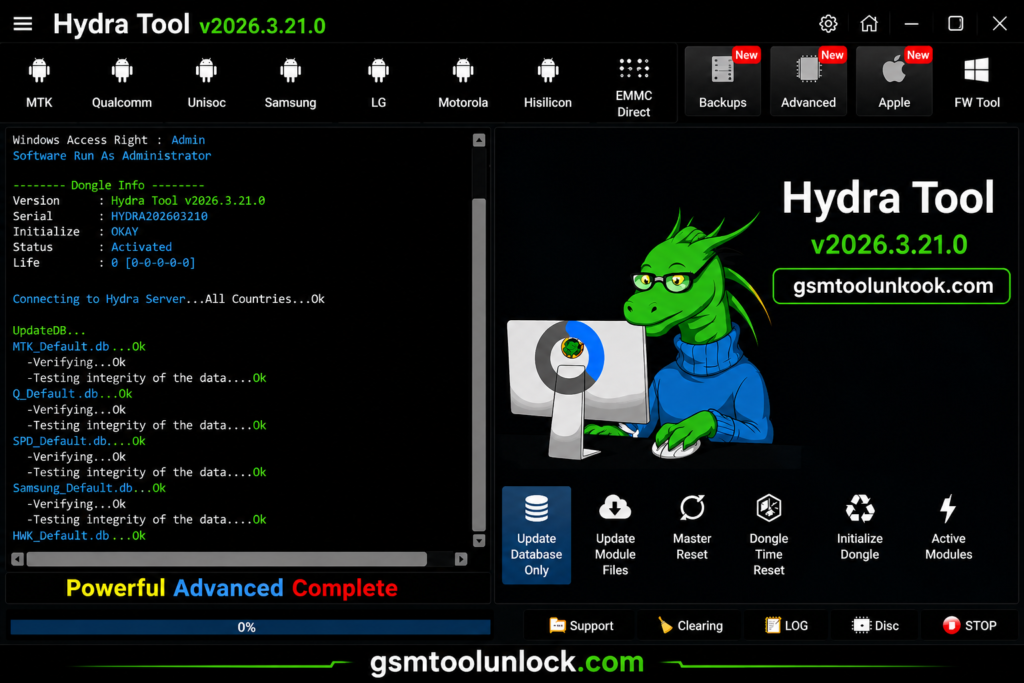
Hydra Tool is a multi-purpose Android servicing program for Windows. It connects to phones via USB and gives technicians a graphical dashboard to unlock, flash, and repair devices. According to the official site, Hydra Tool supports more than 7,100 phone models across 257 brands and has served over 126,000 customers. Phones with Qualcomm, MediaTek, and Unisoc chips make up most of the Android market, especially in tier 1 and tier 2 countries across Asia, Africa, and Latin America, where brands like Xiaomi, Infinix, Tecno, and itel are common. This tool covers all of these in one dashboard, which saves time on a busy repair day.
Features of Hydra Tool
Multi-Chipset Support
Hydra Tool works on Qualcomm, MediaTek (MTK), Unisoc (Spreadtrum), HiSilicon, Samsung Exynos, Allwinner, Rockchip, and some Apple platforms. This wide coverage makes it useful across many phone brands.
FRP Remove
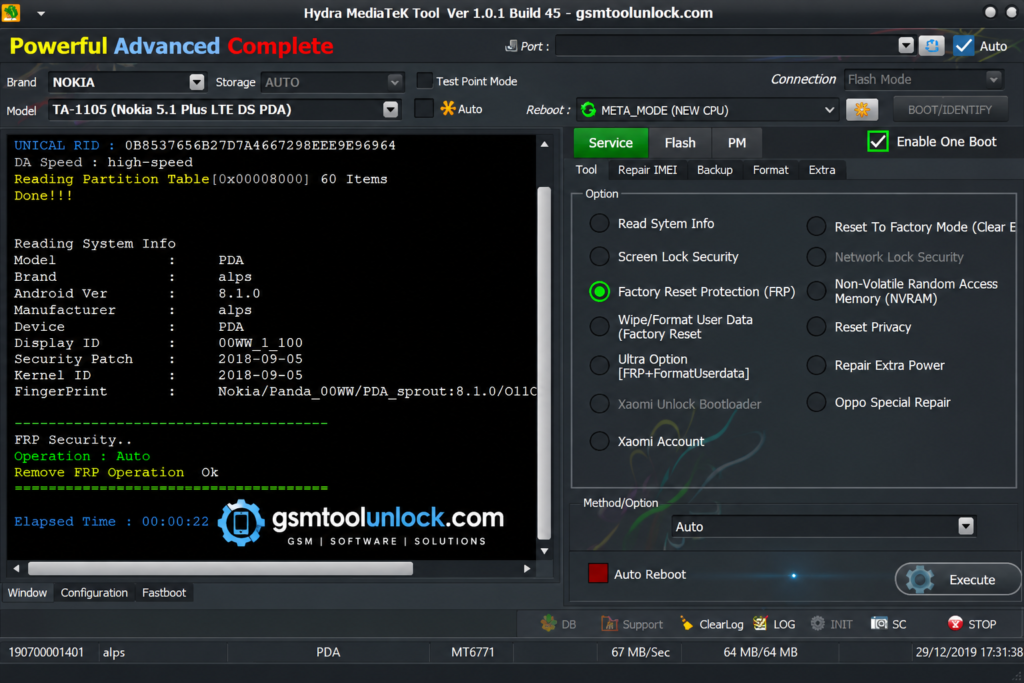
Hydra Tool offers one-click FRP removal for many Android brand models. Use this only for real owners who forgot their login.
Device Unlocking
This feature removes forgotten patterns, PINs, and passwords from supported phones, aiming to do so without erasing personal data where possible.
Repair IMEI
Hydra Tool can restore a lost, damaged, or invalid IMEI on supported devices. Only use this where your local law allows it.
Bootloader Unlock
Unlocking the bootloader is often needed before installing a custom ROM or doing deeper software work. This may erase data and can affect the phone’s warranty.
Mi Account Removal
This can bypass a forgotten Mi Account lock on Xiaomi-based phones, including Redmi and POCO models.
SIM Unlock
This can remove SIM and carrier locks on supported phones, changing the device state to factory unlocked.
Device Information Reader
Before any repair, the tool can show the chipset type, firmware version, and system details of the connected phone.
Boot Mode Detection
Hydra Tool automatically detects the phone’s boot mode, such as Bootloader, Recovery, Fastboot, or Preloader Mode, which helps guide the right repair step..
User-Friendly Interface
The dashboard is simple and clearly labeled, so both new and experienced technicians can find the function they need quickly.
What’s New in Hydra Tool 2027?
- Digital License activation, so a hardware dongle is no longer required for some plans
- Faster performance and better overall stability
- New device support and updated loaders, including DA and Firehose loaders
- Improved Android version compatibility
- Bug fixes across multiple modules
Pricing and Licensing
Hydra Tool is not free. It offers two main access options:
| Option | Details |
|---|---|
| Digital License | Monthly subscription (commonly offered for 3, 6, or 12 months) |
| Hydra SmartCard Dongle | One-time purchase, lifetime access |
A Digital License can be moved to a different PC after 24 hours. A physical dongle can be used on different PCs right away, since the license lives on the dongle itself.
System Requirements
| Requirement | Details |
|---|---|
| Operating System | Windows 7, 8, 10, or 11 (32-bit / 64-bit) |
| Processor | Intel or AMD (dual-core or higher) |
| RAM | 4 GB minimum (8 GB recommended) |
| Storage | At least 2 GB free disk space |
| USB Drivers | Properly installed Android USB drivers |
| Internet | Required for activation, updates, and service modules |
| License | Hydra Dongle or Digital License required |
Download Information
| Detail | Info |
|---|---|
| Tool Name | Hydra Tool |
| Latest Version | V2026.3.21.0 |
| File Size | About 265 MB |
| Platform | Windows (32-bit / 64-bit) |
| License | Digital subscription or lifetime dongle |
| Loaders | DA and Firehose |
| Supported Brands | 257+ |
| Supported Models | 7,100+ |
Also Read: BeTools V7.22.16.353 | Free Flash Tool
How to Download & Install Hydra Tool
- Visit the official site gsmtoolunlock website or a trusted source.
- Install the Alcor driver if you plan to use a Hydra SmartCard Dongle, then connect it.
- Download the Hydra Tool setup and extract the ZIP file.
- Run the setup file and complete the installation.
- Register your account through the tool’s registration option.
- Update the database to get the latest device support and loaders.
- Select the module you need, such as Flasher or Unlock, and connect your phone.

Conclusion
Hydra Tool brings FRP removal, firmware flashing, IMEI repair, Mi Account removal, bootloader unlock, and SIM unlock into one Windows dashboard. It supports Qualcomm, MediaTek, Unisoc, and several other chipsets across hundreds of brands. It needs a license, either a monthly digital plan or a lifetime dongle, so weigh the cost against how often your shop repairs phones. Back up your data, use the correct drivers, and service only phones you are allowed to repair.
FAQ’s
Is Hydra Tool free?
No. It requires either a Digital License (monthly subscription) or a Hydra SmartCard Dongle (lifetime access).
Is Hydra Tool lifetime or subscription-based?
It offers both. The Digital License runs for a set period, commonly 3, 6, or 12 months, while the Dongle gives lifetime access on any PC.
Can I use my Hydra Tool account on a different PC?
Yes. A Digital License can move to another PC after 24 hours, and a Dongle can be used on different PCs right away since the license lives on the hardware.
Does Hydra Tool support different chipsets?
Yes. It supports MediaTek, Qualcomm, Unisoc, HiSilicon, Samsung Exynos, Allwinner, Rockchip, and some Apple platforms.
Can Hydra Tool flash firmware?
Yes. It offers firmware flashing for supported devices, including Qualcomm, MediaTek, and Unisoc phones.
Can Hydra Tool remove FRP?
Yes. with one-click FRP removal for many Android brand models. Use this only for your own device or one you are authorized to repair.
How many devices does Hydra Tool support?
According to its site, it supports more than 7,100 phone models across 257+ brands.
One Comment