
Pegasus Tool V3.2 Free Unlock Version for Windows [2027]
Android phones can get stuck in many ways. A carrier lock may block your SIM. An FRP lock may stop setup. A bad update can cause a boot loop. Pegasus Tool brings many of them into one Windows screen. It works with Samsung, Xiaomi, OPPO, Vivo, LG, and Huawei phones. It also supports MediaTek, Qualcomm, and Unisoc chips.
What Is Pegasus Tool V3.2?
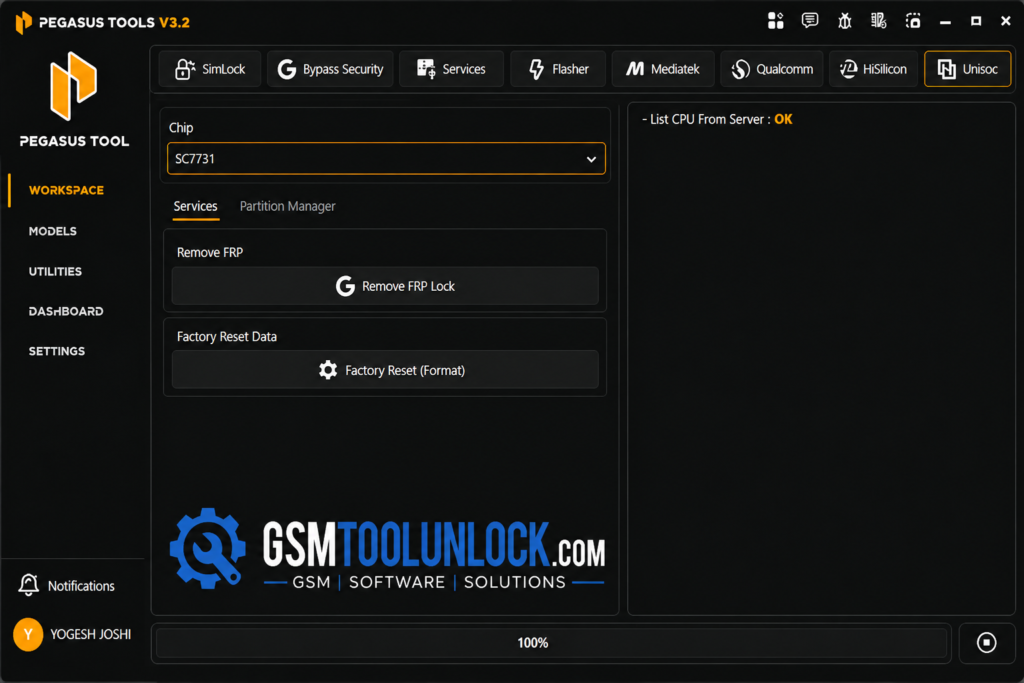
Pegasus Tool V3.2 is a Windows program for Android servicing. Technicians use it to read phone details, flash firmware, manage partitions, and work on SIM and security settings. The tool is used when performing security operations to unlock the device and to solve other major problems with Android smartphones and tablets.
Features of Pegasus Tool
Device Information
The tool shows the model, chipset, Android version, and hardware details. This helps you pick the right method before you start.
SIM Lock & Security
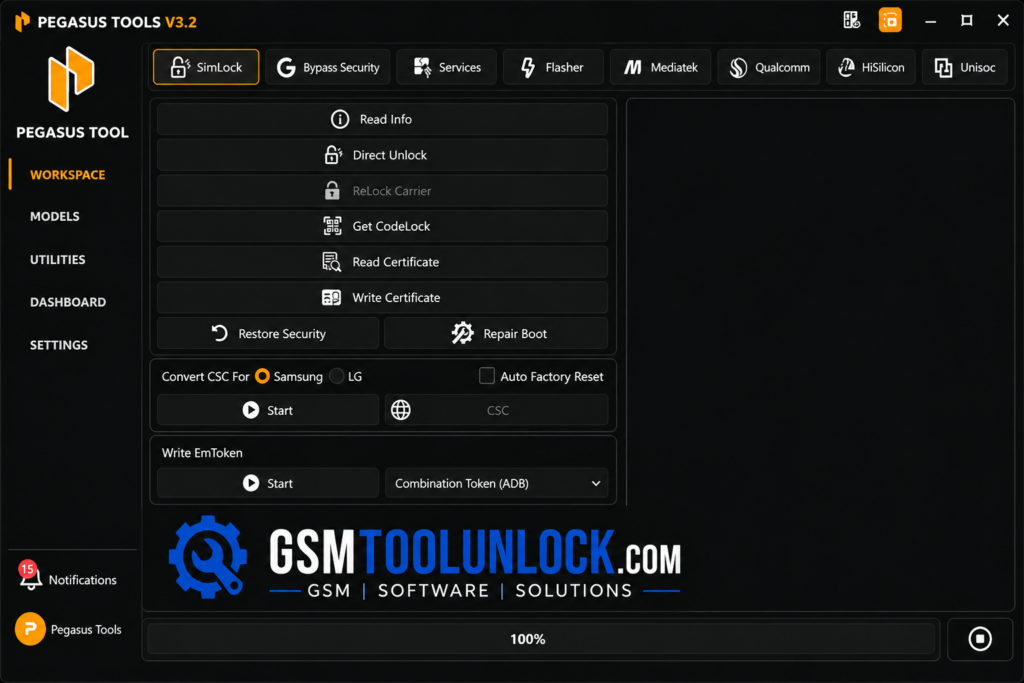
A carrier lock ties a phone to one mobile network. This module read info, carrier unlock, relock, code-lock info, and certificate read or write. It also lists CSC conversion. A Samsung setting tied to the phone’s region and carrier. Use these options only on phones you own or are allowed to service.
FRP and Account Services
The tool lists FRP options through modes like MTP, ADB, Download, BROM, EDL, SPRD, and Sideload. It also lists Samsung Account, Mi Account, MDM, and Knox/KG services. Knox Guard is a Samsung system that carriers and shops use on financed phones. Work on these locks only with the owner’s permission.
Samsung Security
This section covers Samsung security and servicing tasks. These include common software and Knox-related jobs on supported models.
Firmware Flashing
Firmware is the main software inside a phone. Flashing means installing a fresh copy. Pegasus Tool supports several file types:
- Samsung BL, AP, CP, and CSC files
- LG KDZ packages
- Fastboot XML files
- BROM scatter files (MediaTek)
- EDL firmware (Qualcomm)
It also has options like MD5 check, NAND erase, and userdata clearing. Always match the firmware to your exact model.
MediaTek Support
The MediaTek module can read, write, format, and back up partitions. It also lists services for FRP, Huawei ID, Vivo Demo, OPPO ID, Mi Account, and MDM on supported phones.
Qualcomm Support
The Qualcomm module lists partition and security tools, including FRP, Mi Account, Huawei ID, Samsung KG, factory reset, and security backup or restore. These run through Qualcomm modes like EDL, short for Emergency Download Mode.
Unisoc (Spreadtrum) Support
Unisoc was once called Spreadtrum, and many low-cost phones use its chips. The tool lists FRP removal, factory reset, and partition tools for these phones through SPRD mode.
Network and VoLTE
VoLTE lets your phone make calls over 4G. The tool lists settings that help fix some calling and network problems. It also manages APN and USB settings.
Pegasus Tool Download Information
| Detail | Info |
| Tool Name | Pegasus Tool |
| Version | V3.2 |
| File Size | About 3 MB |
| File Password | None |
Also read: PassFab Android Unlocker 2.5.3 Free Download
How to Download, Install & Use Pegasus Tool V3.2
- Download Pegasus Tool from the official website, gsmtoolunlock, or from a trusted source.
- Create an account if the tool asks for activation.
- Run the setup and finish the installation.
- Install the USB and chipset drivers for your phone.
- Open the tool and sign in.
- Connect the phone with a good USB cable.
- Pick the mode you need, such as ADB, MTP, Fastboot, BROM, EDL, or SPRD.
- Read the phone info and check the model and chipset.
- Choose the function you want.
- Check that the firmware and device match.
- Start the job and do not unplug the phone until it ends.
Pros and Cons
Pros
- Many service modes in one place
- MediaTek, Qualcomm, and Unisoc support
- Firmware flashing for several brands
- Factory reset and partition tools
- Network and APN tools
- Simple Windows screen
Cons
- Support changes by model and chipset
- Advanced tools need technical knowledge
- Some jobs can erase user data
- Wrong firmware can cause boot problems
- Some functions may need an account or activation
Conclusion
Pegasus Tool brings firmware flashing, SIM and security tools, FRP and account services, and chipset-level work into one Windows program. It supports MediaTek, Qualcomm, and Unisoc phones through many service modes. It is small and easy to open. Still, no tool works on every phone. Check your model, chipset, firmware, and security patch first, back up your data, and service only phones you are allowed to repair.
FAQ’s
What is Pegasus Tool used for?
It is used for Android servicing. This includes reading device info, factory reset, firmware flashing, partition work, network setup, and security-related repair on supported phones.
Does Pegasus Tool support MediaTek?
Yes. It has a MediaTek module for partition and service functions on supported phones.
Can Pegasus Tool flash firmware?
Yes. It lists Samsung, LG, Fastboot, BROM, and EDL firmware formats.
Does Pegasus Tool support every Android phone?
No. Support depends on the brand, model, chipset, Android version, security patch, drivers, and service mode.
One Comment