
SP Flash Tool V6.2404 Download for MediaTek Latest Version
SP Flash Tool or Smart Phone Tool, is a facility that permits you to install firmware ROMs on devices powered by MediaTek-powered devices, like tablets and smartphones, for repair services. It is used to write software to the device by working with firmware flashing, such as a scatter file.
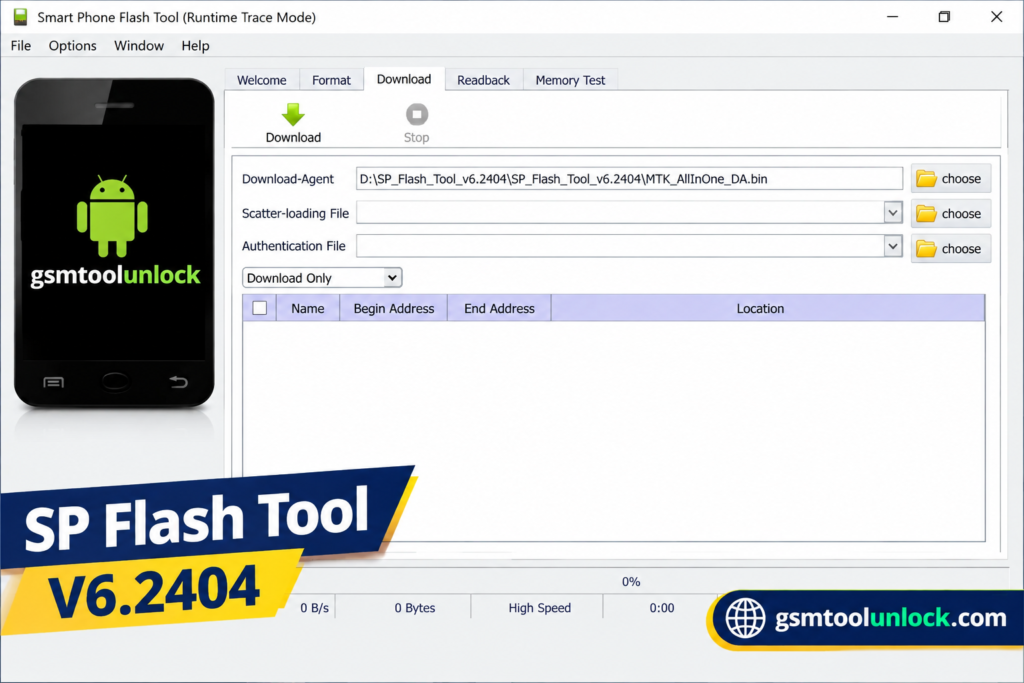
What is SP Flash Tool?
SP Flash Tool is especially designed for technicians as well as for advanced users, helping them to install stock firmware, repair software-related problems, upgrade or reinstall firmware, and restore some of the MediaTek devices from failed updates. This tool is not supported for Qualcomm or Exynos devices.
Features of SP Flash Tool
Flash Stock ROM
SP Flash Tool allows the user to install firmware files on their Android devices. This helps the user to update software or any other issues the user faces. The process is easy to follow and helps you to boost the performance of the device.
Flash Recovery
SP Flash Tool provides help to users in order to flash stock and custom on Android devices. Stock recovery refers to the recovery of the system that you get with your device. On the other hand, custom recovery refers to helping you modify and manage the device in an advanced way.
Memory Test
One of the most important features of SP Flash Tool is the memory test. In SP Flash Tool, the memory tool helps you to examine and verify the effectiveness of the MediaTek device’s external memory, including RAM, eMMC, and NAND Flash. The results will be visible to the user in detail which will provide you a help to sort out issues of memory.
Format Device/ Hard Reset
SP Flash Tool also includes a format device feature, which will help the user to reset the Android device to its factory default state. It helps the user to remove all data from the device and reset it to its original state.
Readback
SP Flash Tool involves a Readback function too. This feature provides help to read the fixed portions from the connected device and helps the user to save data as backup images.
Download Information
| File Name | SP Flash Tool/ Smart Phone Flash Tool |
| Developer | Media Tek |
| File Type | Zip Archive |
| Chipset Support | MediaTek (MTK) |
Also check: Fastboot Flash Tool V1.0.1.2 Free Download Setup Latest Version [2026]
How to download?
- Write the name of the tool in any search browser.
- Search for GSM Tool Unlock.
- Find the download button and click Download.
- You are required to extract the file from the ZIP if you find that the file is compressed.
- Install the MediaTek USB Driver if required.
- Now the file is ready to use.
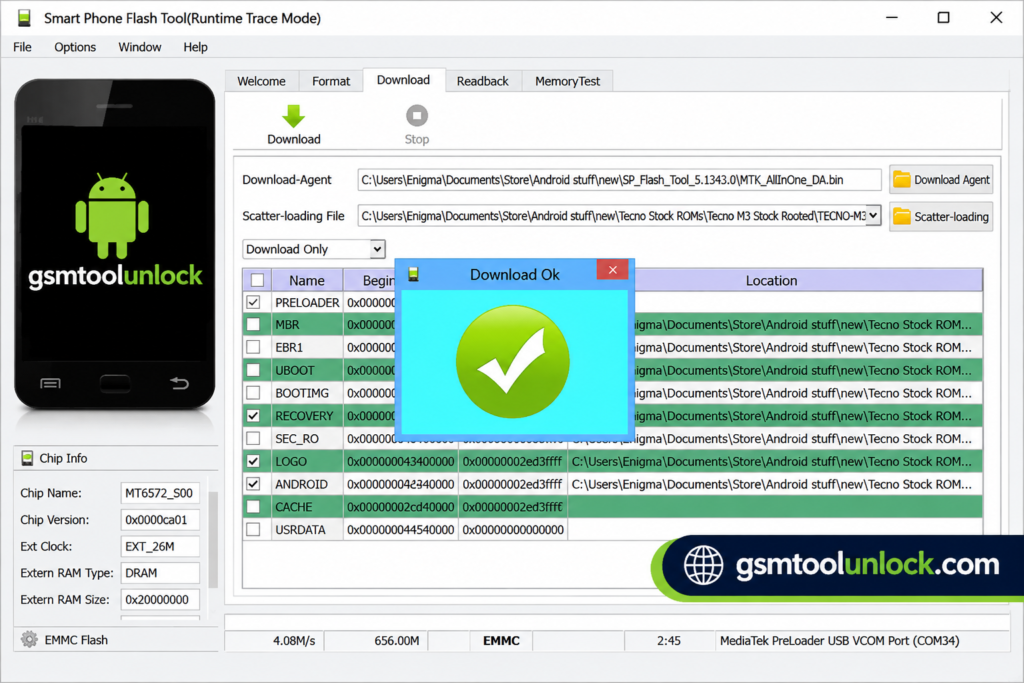
Pros & Cons
Pros
- It is available for free to use.
- It provides multiple modes to perform different tasks.
- It does not require a typical installation process.
- It is available for many Android devices.
- It includes a repair facility.
Cons
- Insufficient firmware can pose a risk.
- Initial users require sufficient knowledge.
- Some operations can cause data loss.
- It may include connection issues.
- It is not supported for all types of hardware and software.
Conclusion
SP Flash Tool is a powerful tool for firmware flashing, system error repairing, and unlocking MediaTek-supported devices. It is used by technical experts for updating software and repairing mobile devices. The tool is also easy and safe to use. It can work on several mobile devices.
FAQ’s
Is the SP Flashing Tool safe to use?
Yes! The tool is safe if used correctly; however, it is necessary to use the correct firmware and install the supported drivers for the app to function smoothly.
Can I use the tool on all mobile devices?
No! The tool is designed only for MediaTek-supported devices. It is strongly discouraged to use the tool on other chipset-supported devices.
What is the Memory Test feature in SP Flash Tool?
Memory Test is used to check supported memory components such as RAM, eMMC, and NAND Flash.
Does SP Flash Tool support firmware updates?
Yes, compatible firmware packages can be installed to update or repair the software of supported devices.
What drivers are required for SP Flash Tool?
MediaTek USB-VCOM drivers are commonly required so the Windows PC can properly detect a compatible MTK device.

One Comment