
UMT QcFire Tool v13.7 Latest Version Free Download
When a Qualcomm-powered smartphone or tablet gets stuck in a boot loop, fails to flash firmware, shows software errors, or requires supported FRP servicing. UMT QcFire provides a Windows-based solution for technicians working with supported Qualcomm devices. It offers firmware flashing, software repair, boot recovery, FRP-related servicing, and updated loader support in one tool.
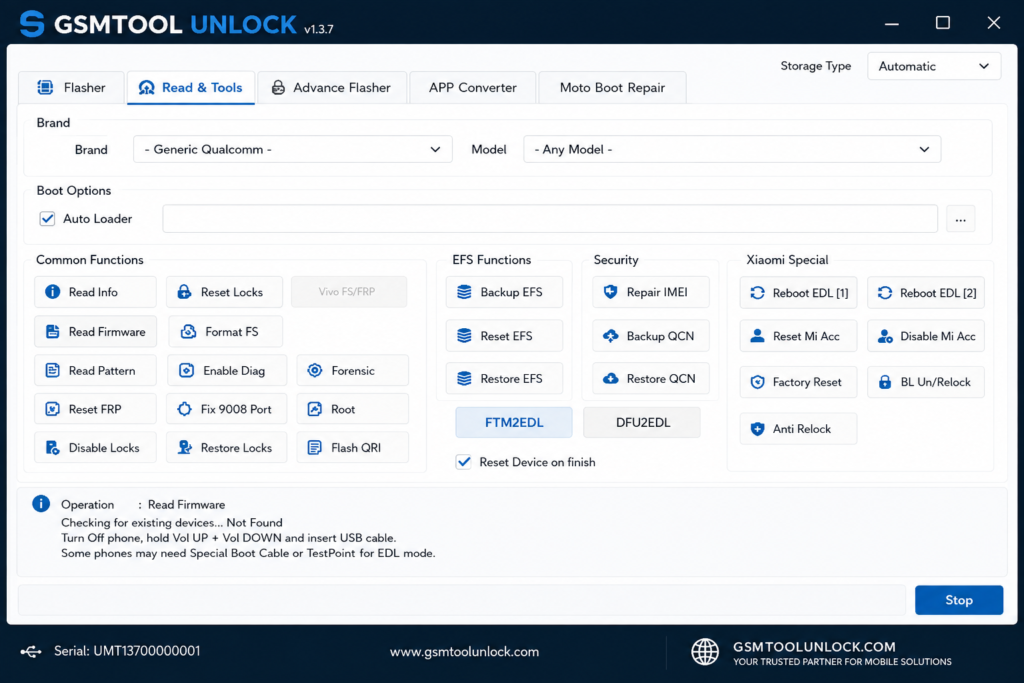
What is the UMT QcFire Tool
The UMT QcFire Tool is a Windows-based Qualcomm service tool designed for technicians who work with supported Android smartphones and tablets. It helps diagnose and resolve common software-related problems through functions such as Qualcomm firmware flashing, FRP servicing, boot repair, software recovery, and device maintenance.
Features of the UMT Qcfire Tool
FRP Servicing
The tool performs supported FRP-related operations on compatible Qualcomm devices. This provides technicians with a dedicated workflow for supported device servicing and software maintenance.
Boot Repair
The tool helps recover supported devices experiencing boot loops or software-related boot problems. It can be useful when a device fails to start normally after a software or firmware issue.
Software Repair
The tool troubleshoots and repairs certain firmware and software issues. Technicians can use supported repair functions to restore normal software operation.
EDL Mode Support
The tool works with supported Qualcomm devices through Emergency Download mode. EDL provides a low-level Qualcomm interface used for supported flashing and device recovery operations.
Loader Database
The tool uses updated Qualcomm loaders to improve compatibility with supported newer devices. Updated loaders can help QcFire communicate correctly with newly supported Qualcomm models.
What’s New in the UMT QcFire Tool
- Samsung-Focused Update
- New BIT Versions
- Updated Loader Database
- Improved Device Compatibility
- No Major New Functions
- Expanded Samsung Model Coverage
- Maintenance-Focused Release
- Better BIT Compatibility
- UMTv2 / UMTPro Support
System Requirements
| Requirement | Minimum |
| OS | Windows PC |
| RAM | 2 GB+ |
| Processor | Intel/AMD |
| USB | Working USB port |
| Drivers | Qualcomm USB Drivers |
| Storage | Enough space for tool & firmware |
| Device | Supported Qualcomm Android device |
Also check: BFT Tool v1.8 By BossV Free Updated Version
How to Download & Install UMT QcFire Tool
- Download the UMT QcFire Tool from a trusted source.
- Click on the download link.
- Wait until the download is complete.
- Extract the downloaded ZIP/RAR file on your PC.
- Install the required Android USB, ADB, or Fastboot drivers for your device.
- Open the UMT QcFire Tool.
- Connect the device using a USB cable.
- Run the tool as admin.
- The tool will open on your PC screen.
- Enjoy using the tool.
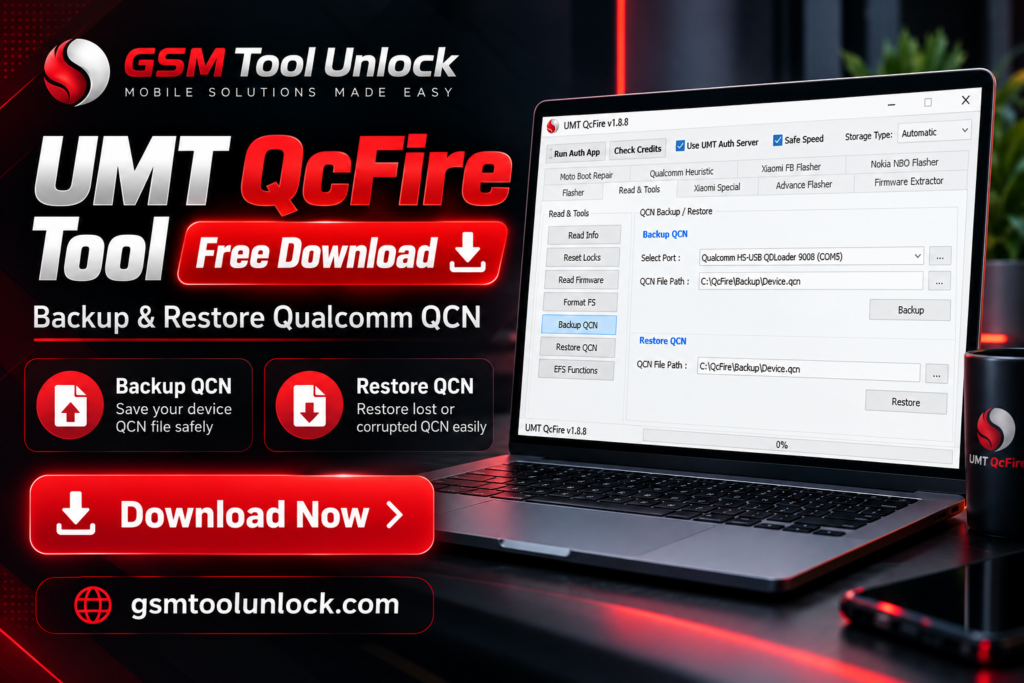
Pros & Cons
Pros
- Supports many Qualcomm-powered Android devices.
- Provides firmware flashing and software repair functions.
- Updated loaders improve support for newer devices.
- Supports newer Samsung BIT versions in v14.3.
- Previous versions are available for different device requirements.
Cons
- Primarily designed for Qualcomm-based devices.
- Compatibility varies by model and firmware version.
- Correct Qualcomm drivers may be required.
- Incorrect firmware selection can cause software issues.
- Some advanced operations require technical knowledge.
Conclusion
UMT QcFire is a practical Qualcomm servicing tool for technicians handling supported Android devices. With features for firmware flashing, software repair, FRP servicing, EDL operations, and updated loader support, it can help resolve various software-related issues. The latest v14.3 mainly improves Samsung compatibility through new BIT versions and an updated loader database.
FAQ’s
What is new in QcFire v14.3?
Version 14.3 mainly adds Samsung compatibility, including new BIT versions and an updated loader database.
Does UMT QcFire support Samsung devices?
Yes, v14.3 adds BIT versions for supported Samsung Galaxy A, S, Tab, XCover, and Z series devices.
Does UMT QcFire require Qualcomm drivers?
Yes, compatible Qualcomm USB drivers are generally required for proper device detection and communication.
Can QcFire perform FRP servicing?
Yes, it provides FRP-related servicing functions for supported devices and configurations.
Is UMT QcFire suitable for beginners?
QcFire is primarily a professional servicing tool, so users should understand firmware versions, device modes, drivers, and model compatibility before performing repair operations.
One Comment